Atualização do Craft — Cores, Tags, Daily Notes e melhorias
As Tags agora fluem direto no seu texto, as cores e os seletores de cores receberam uma reformulação grande, incluindo cores totalmente personalizadas, as Daily Notes podem ser exportadas para qualquer intervalo de datas, e o Quick Entry no Mac ficou mais esperto.


Craft Update - Colors, Tags, Daily Notes, and improvements
Hi there,
We’re closing out the summer with a huge update! Tags now flow right in your text, colors and color pickers got a major revamp, including completely custom colors, Daily Notes can be exported for any date range, and Quick Entry on Mac got smarter.
On Windows and Web, we’ve shipped beautiful new CJK typography (coming to the native apps as well soon!) and a big round of Tasks improvements. Plus lots of fixes and polish across the board.
Also, if you are a Quip user, we are building an import tool – if you want to test it early, please drop an email to support@craft.do.
If you want to watch Peter’s video first
Customize Craft Like Never Before: Colors, Tags & More
Or jump into all the details below!
Smoother Tag Editing
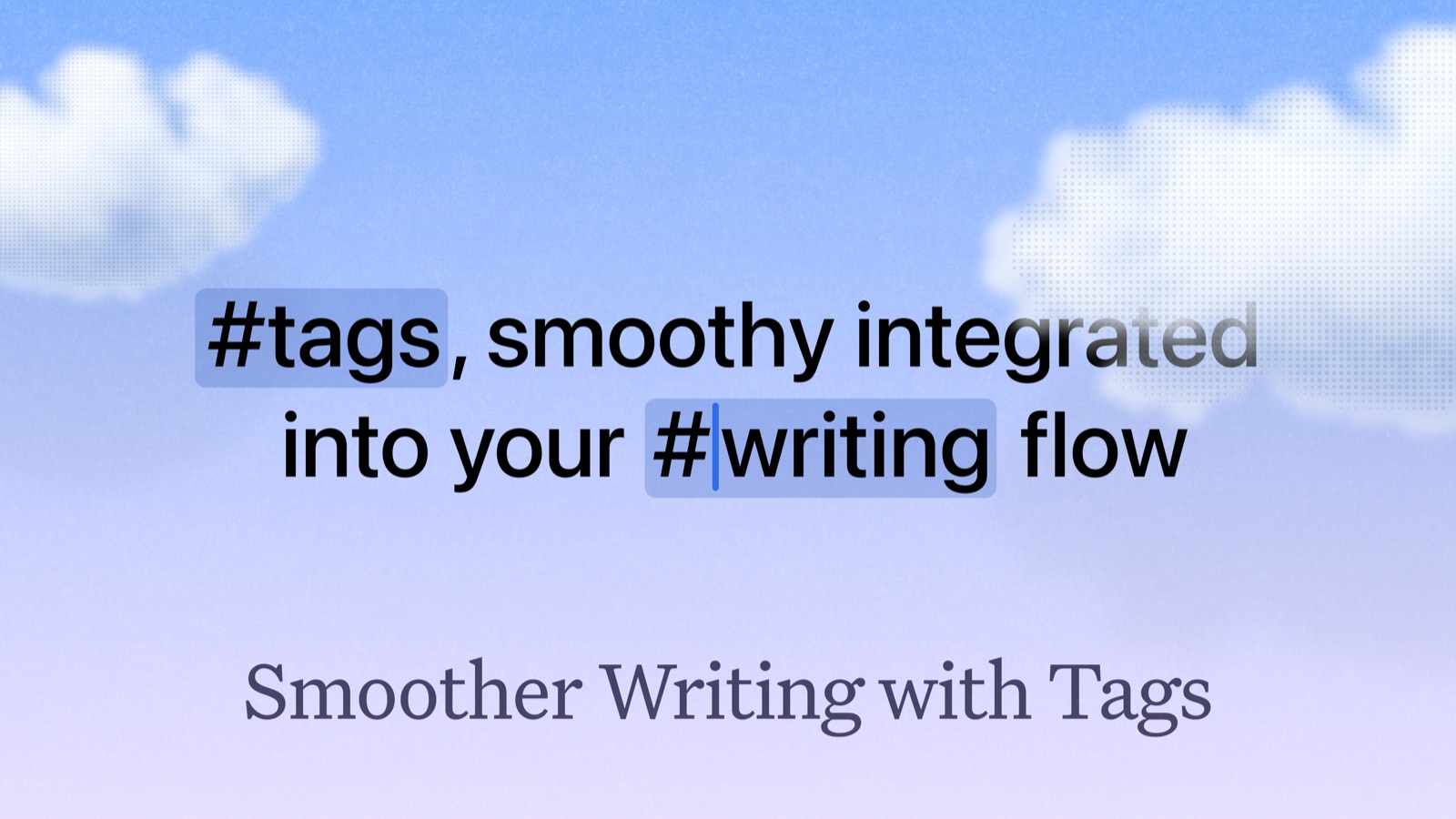
Available on Mac, iPhone, iPad
Since introducing Tags, one of the biggest pain points has been editing: tag badges meant you couldn’t simply move your cursor into a tag and change it. We’ve reworked the whole inline experience, tags are now much more integrated into your docs, faster to add, easier to edit, and they fit smoothly into your writing flow. No more interruptions.
And we’re not stopping here. In upcoming releases we’ll deepen tag integration with collections and tasks, and the Tags page will move from document-based listing to block-based results, coming to Search later, too.
New Colors & Color Pickers
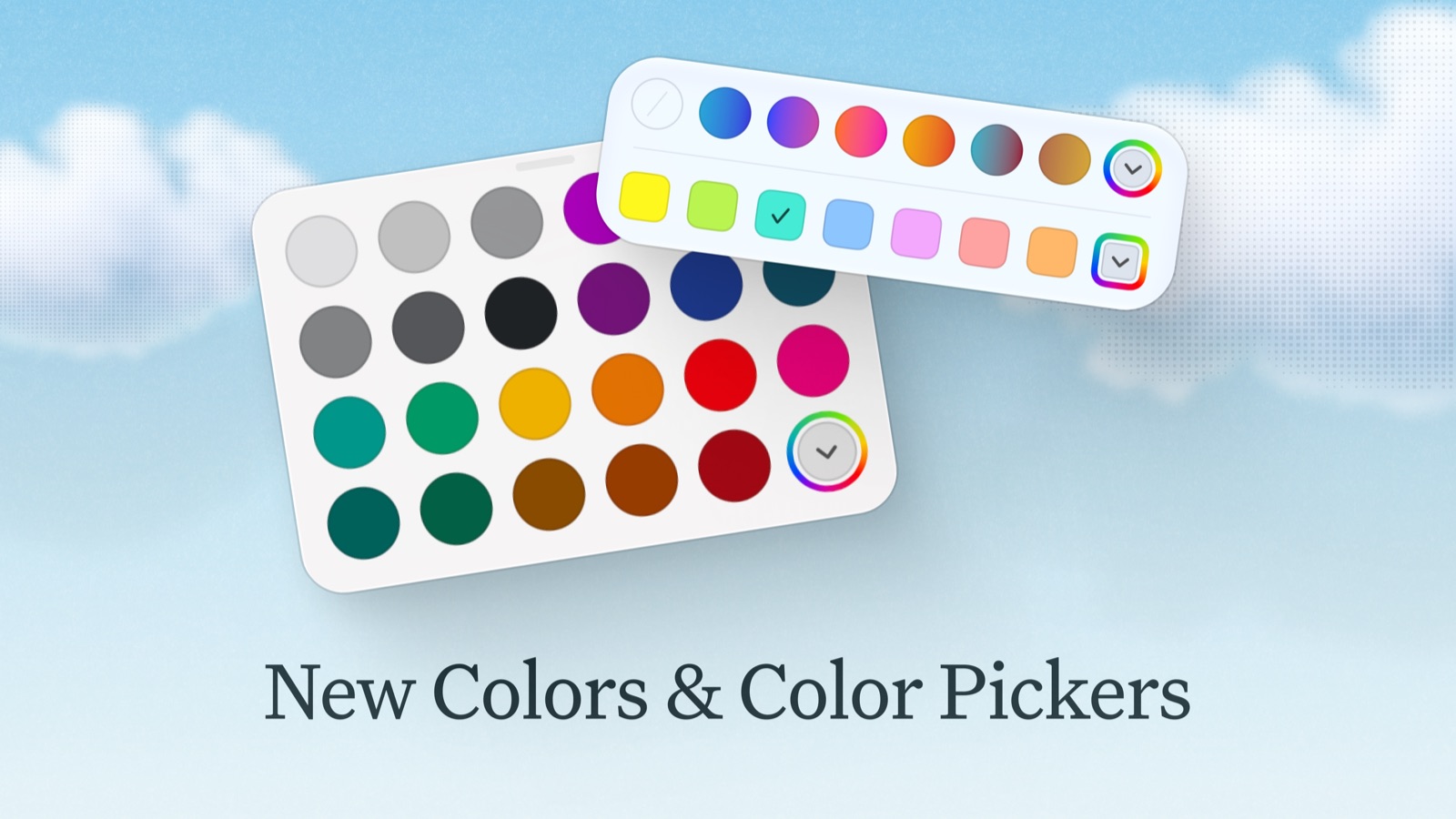
Available on Mac, iPhone, iPad
Colors and Color Pickers are getting a big update: We have modernized all of the default color palettes in Craft and added the ability to select completely custom colors for blocks, inline text color, table colors and collections.
- New Default Colors: Block colors, page background and text colors, backdrop colors, washi tape colors, inline highlight colors, collection colors, colors in tables, colors for folders and interface accent colors all have an updated default color palette.
- More Custom Colors: Block color, table colors and select item colors in collections can now be set to a completely custom color.
- Custom Inline Highlights & Text Colors: You can now select any hue for an inline highlight, or set a completely custom inline text color.
- Automatic Contrast Adjustment: In the page background and page text color panels, you get a warning when your text is becoming hard to read, and with a single tap Craft adjusts your colors to a minimum readable contrast.
- Custom Default Block Colors: In the block color palette, open the context menu for a color via right click and choose “Customize” to set your own default colors. Perfect to keep your favorite color at hand or for brand colors you use again and again.
- Named Colors: All color palettes now show a tooltip with the name of the color on hover.
- Improved Color Picker: The color picker panel has been improved and made more powerful. Numeric input is now more flexible, with support for RGB and HSB modes. There is a new “Spectrum” color picker, and the Grid view has a new and improved color palette.
- Command Menu Colors: The colors accessible from the Slash-Menu now match the default block colors in name and value.
- Tables & Collection Block Colors: Block colors applied to tables and collections are now used as border and text color by the tables/collections and block decorations are displayed correctly.
- Clearer Collection Colors: The colors for single and multi-select options in collections are now displayed more clearly for better differentiation. You can also now select a custom color for an option.
- Interface Accent Color: For the interface accent color, you can now choose between ten different colors in settings.
Daily Note Export
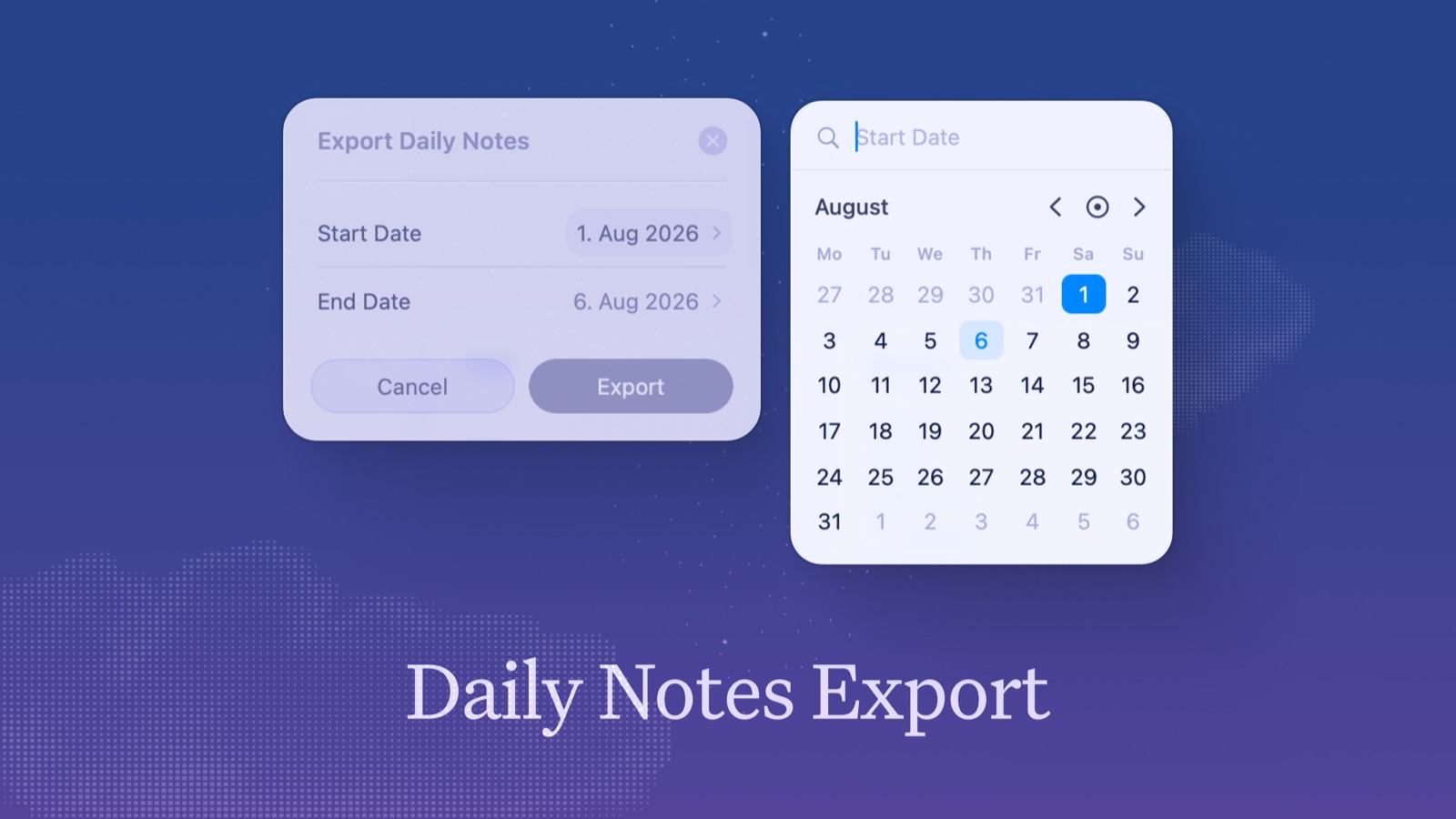
Available on Mac, iPhone, iPad
You can now export Daily Notes for a selected date range. Accessible in the three dot menu of the Calendar or All Docs view.
Upgraded Quick Entry
Quick Entry now supports the same task, quote, and code block shortcuts you use in the editor, and opening documents from Spotlight works reliably.
Quality of Life improvements
As we promised, over the next several months roughly 80% of our effort will go toward improving and refining the parts of Craft you already use every day. On top of everything above, we’ve also improved and fixed 30+ other aspects of Craft.
Mac, iPhone, and iPad improvements
Improvements
- Tags: When creation of a new tag is stopped by an ignore rule, the panel now displays a link directly to the rule in Settings, so you can quickly adjust it
- Reminders: When adding a reminder to a block inside a daily note, or to a scheduled task, there is now a suggestion for that day, so you can set the reminder in a single click
- Export Panel: The interface of the PDF and Markdown export panel has been updated to a more modern UI that fits in with the rest of the app
- Links & Files: The panel to edit title and description of links and files has been redesigned into a more flexible panel with growing text fields, that let you see the whole description at once
- Daily Note: On macOS, the tasks inside the Daily Note now display a badge with the reminder time, when one is set
- Titles in Bottom Action Bar: When a text block is selected that is a title, there is now an item in the Bottom Action Bar that displays its type, making heading levels easier to identify and change
- Bottom Action Bar: When selecting multiple files, links or images, the bottom action bar on macOS now displays the size options, so updating multiple blocks at once is easier
- Illustrations: The colorful icons for Page and Card; for Link and File layout sizes and on iOS for creating new folders and documents from the bottom toolbar have been updated to more modern illustrations
Fixes
- Tables & Collections: Now respect block colors and fonts instead of always using the document style
- Tables: Fixed block colors only applying to a single cell when the whole table was selected
- Browse: Fixed the Unsorted folder item count including hidden Daily Notes
- Tasks: Fixed creating tasks in a new Daily Note from the Tasks view on iPhone
- Document Previews: Fixed cover images briefly disappearing when collaborators edited a subpage
- Document Previews: Fixed preview cards sometimes appearing blank after scrolling or reopening a folder
- Sidebar: Fixed the current space name sometimes appearing cropped after launching the app
- Sidebar: Fixed “Copy” actions on documents not working unless All Docs was open
- Notifications: Fixed in-app toasts sometimes using the wrong background color over styled documents
- Card Styles: Fixed Unsplash images not applying when searching with a hardware keyboard
- Cards: Fixed card blocks and style previews sometimes using the app appearance instead of the document style
- Editor: Fixed missing page background color for page breaks without a backdrop on iPhone
- Daily Notes: Fixed calendar highlights sometimes appearing in the wrong color
- Daily Notes: Fixed tasks in the default template not being scheduled correctly
- Link Previews: Fixed the smart link card footer URL overflowing its container
- Comments: Fixed missing background tint on comment thread previews
- Quick Open: Added a “No Results” message when no items match the search
Web and Windows Improvements
Improved CJK Typography

We’ve significantly improved how Japanese, Korean, Simplified Chinese and Traditional Chinese text renders across all four Craft fonts, including bold and italic. Your notes have never looked better. Please let us know how you like the updated fonts - drop us an email to support@craft.do.
Refined Tasks
Press Ctrl+J to capture a new task from anywhere. Task rows have more breathing room, checkboxes now come tinted with your accent color or an upcoming deadline, and the Logbook got smarter: un-completing a task no longer loses its deadline and sub-block preview.
Bug Fixes & Polish
- Tasks: Logbook tasks are no longer draggable, since they can’t be reordered
- Tasks: Removed the redundant overdue badge in the Today view
- Tasks: Fixed the Esc key not closing the Tasks header context menus
- Tasks: Cleaned up the shortcuts sheet — removed two shortcuts that aren’t available in the Tasks view
- Sidebar: The document theme now shows correctly behind the bottom section of the sidebar
- Backdrops & Covers: Restored random Unsplash suggestions in untitled documents
- Accessibility: The template picker is now fully keyboard-accessible — Tab to move selection, Enter to choose a template