Web Research to Craft
Connect Manus to Craft via MCP, hand it a research brief, and get structured, cited findings written directly into your Craft document.


使用 Craft和Manus 打造
自己動手打造
步驟 1 — Connect Craft to Manus
Open Manus and add Craft as a custom MCP connector. Go to Connectors -> Custom MCP -> Add custom MCP -> Direct configuration and fill in:
| Setting | Value |
|---|---|
| Server Name | Craft |
| Transport Type | HTTP |
| Server URL | https://mcp.craft.do/my/mcp |
For step-by-step screenshots, see the Manus MCP guide. Once saved, Manus can read and write documents across your entire Craft workspace.
步驟 2 — Write a Research Brief in Craft
Create a Craft document with clear sections so Manus knows what to research and where to put its findings:
## Research Brief
### Topic
[Your research topic here]
### Key Questions
1. [Question 1]
2. [Question 2]
3. [Question 3]
### Sources to Check
- [Specific websites, databases, or types of sources]
### Findings
*Manus will write its research here...*
步驟 3 — Hand the Task to Manus
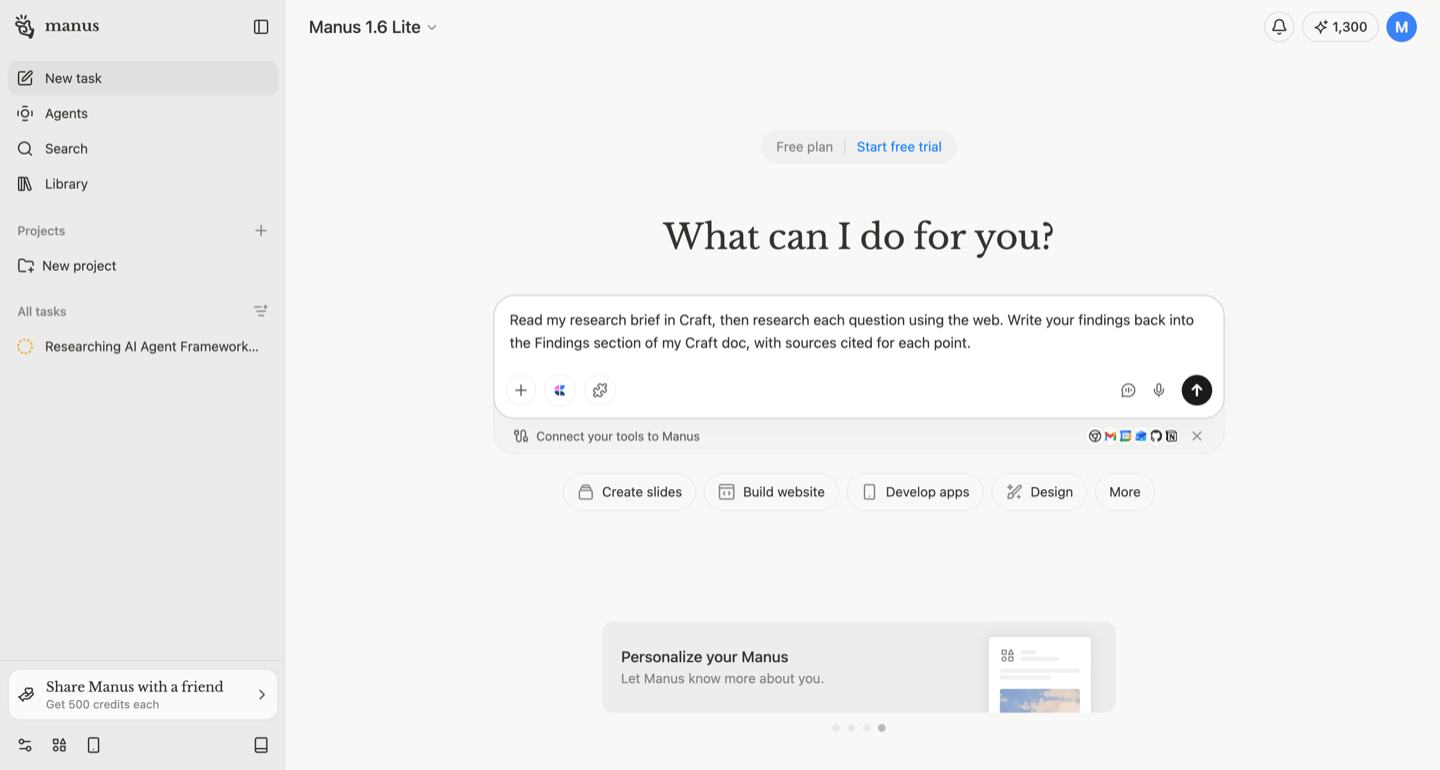
Back in Manus, create a new task. The Craft connector icon appears in the toolbar, confirming access. Tell Manus what to do:
Read my research brief in Craft, then research each question using the web. Write your findings back into the Findings section of my Craft doc, with sources cited for each point.
Manus browses the web, gathers information for each question, and writes structured findings directly into your Craft document — complete with source links.
步驟 4 — Review and Iterate
Once Manus finishes, open your Craft doc to review the findings. You can:
- Ask follow-up questions to go deeper on specific points
- Request additional sources or alternative perspectives
- Have Manus summarize findings into an executive brief
- Share the completed research doc with your team via Craft
The Result
What used to take hours of manual web research now happens in one task. Manus reads your brief, researches the web, and delivers organized, cited findings right where you need them — in your Craft document. You can also swap Manus for Claude, ChatGPT, or any other MCP-compatible client.