Baby OS
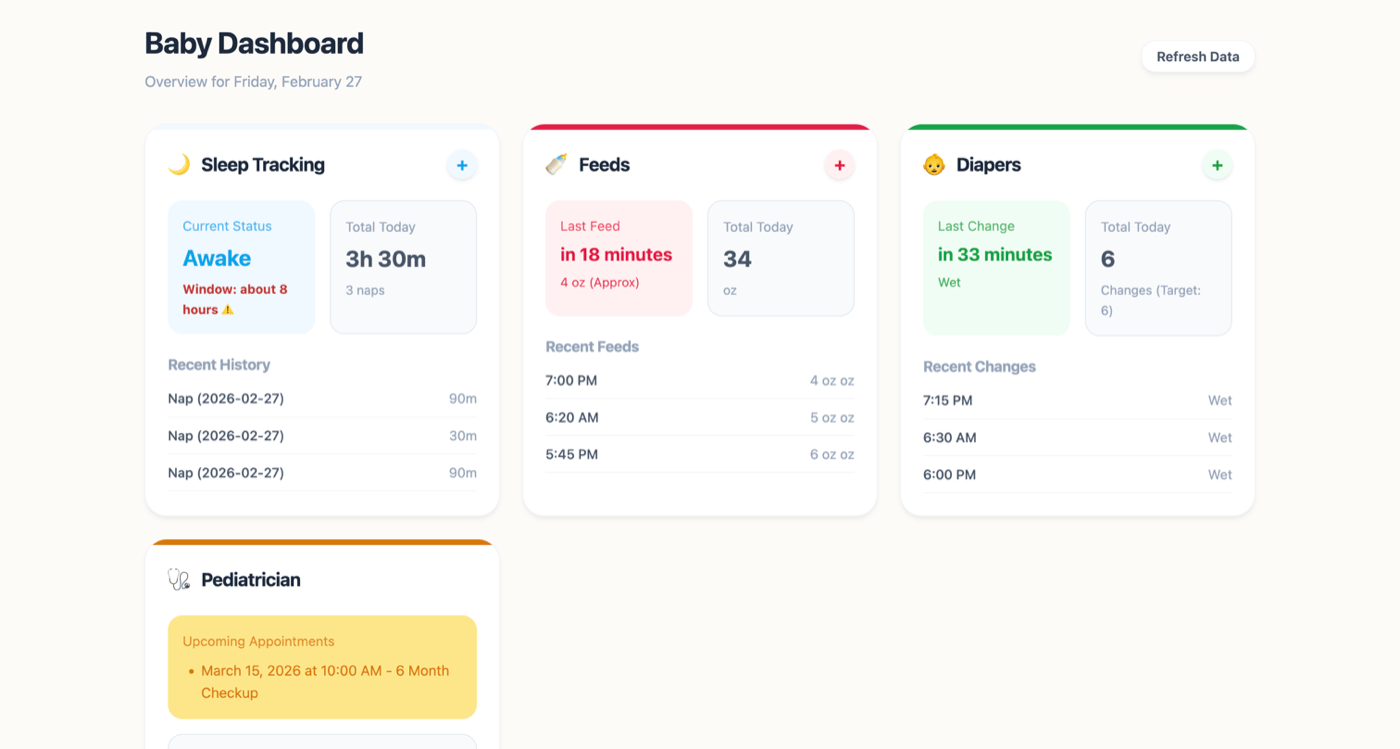
Baby tracking apps want your data on their servers and charge a subscription. Baby OS is one HTML file that uses your Craft document as the database — sleep, feeds, diapers, health, all private and shareable with your partner through Craft’s native sharing.


Creato da Mikail Kraft con Craft
Costruiscilo tu
Passaggio 1 — Duplicate the Baby OS Template
Copy the Baby OS Template to your Craft account. The template comes pre-structured with sections for sleep, feeds, diapers, and health — plus a Settings block where you’ll find your API URL.
Passaggio 2 — Enable the Craft API
Enable read and write API access on your duplicated document. Baby OS needs write access to log new entries and read access to display your dashboard.
Passaggio 1
Passaggio 2
Passaggio 3
Passaggio 4
Passaggio 5
Passaggio 3 — Download & Open Baby OS
imagine.ideas.babyOs.buildIt.step3.description1
git clone https://github.com/mikailkraft/baby-os.git && cd baby-os && npm install && npm run devEnter the API URL from your template’s Settings block to connect Baby OS to your Craft document.
The Result
A real-time parenting dashboard — sleep patterns, feeding schedules, diaper tracking, and health notes — all stored in your private Craft document. Baby OS also includes Apple Shortcuts for hands-free logging (log nap, feed, diaper, appointments) and you can share the Craft document with your partner for multi-caregiver access. The entire project is open source — fork it to build your own Craft-powered dashboard for any tracking use case.
Altre idee da provare
Torna alla galleria
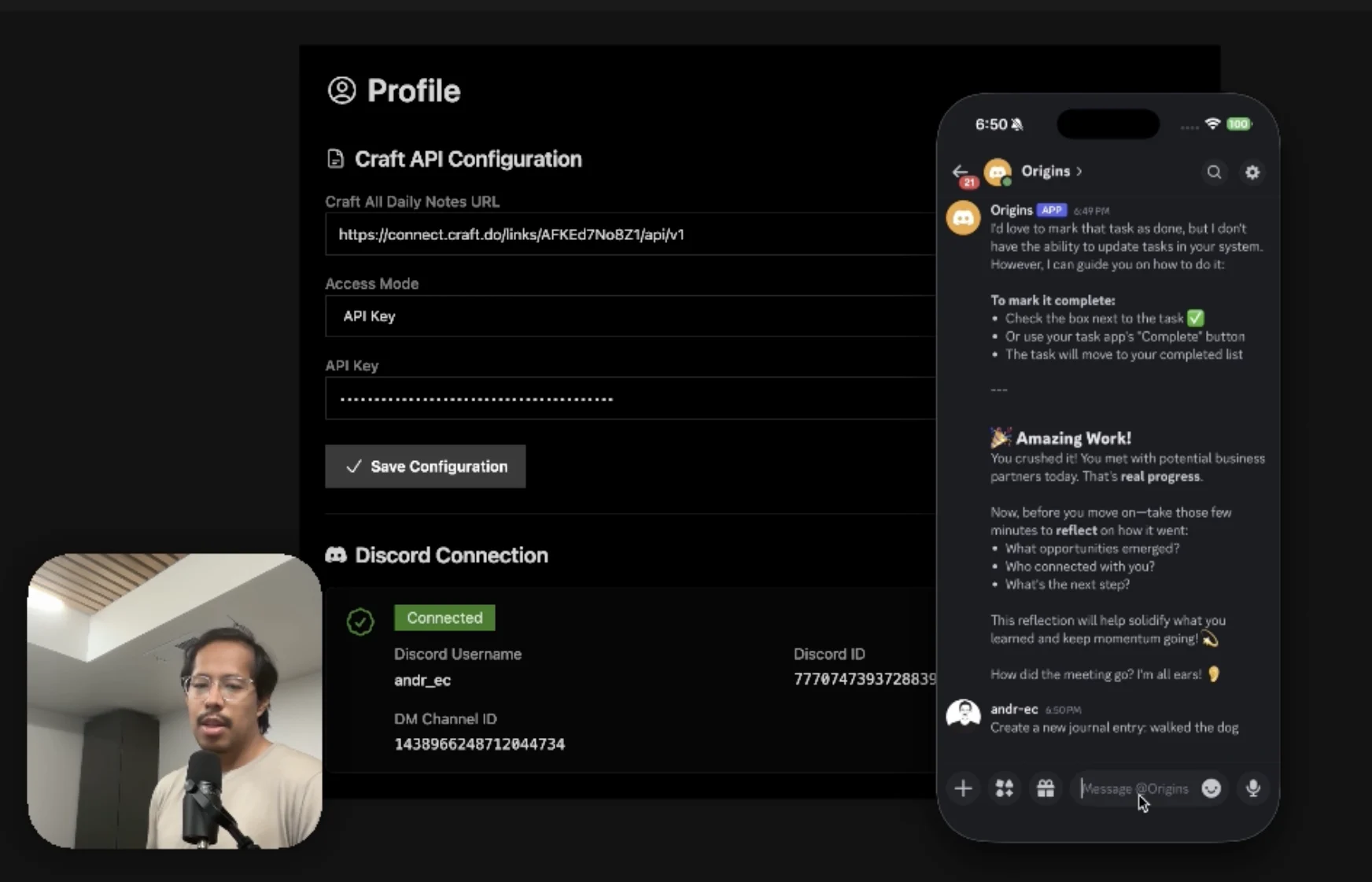
An AI accountability coach that reads your Craft goals and follows up in Discord.
Scopri di più
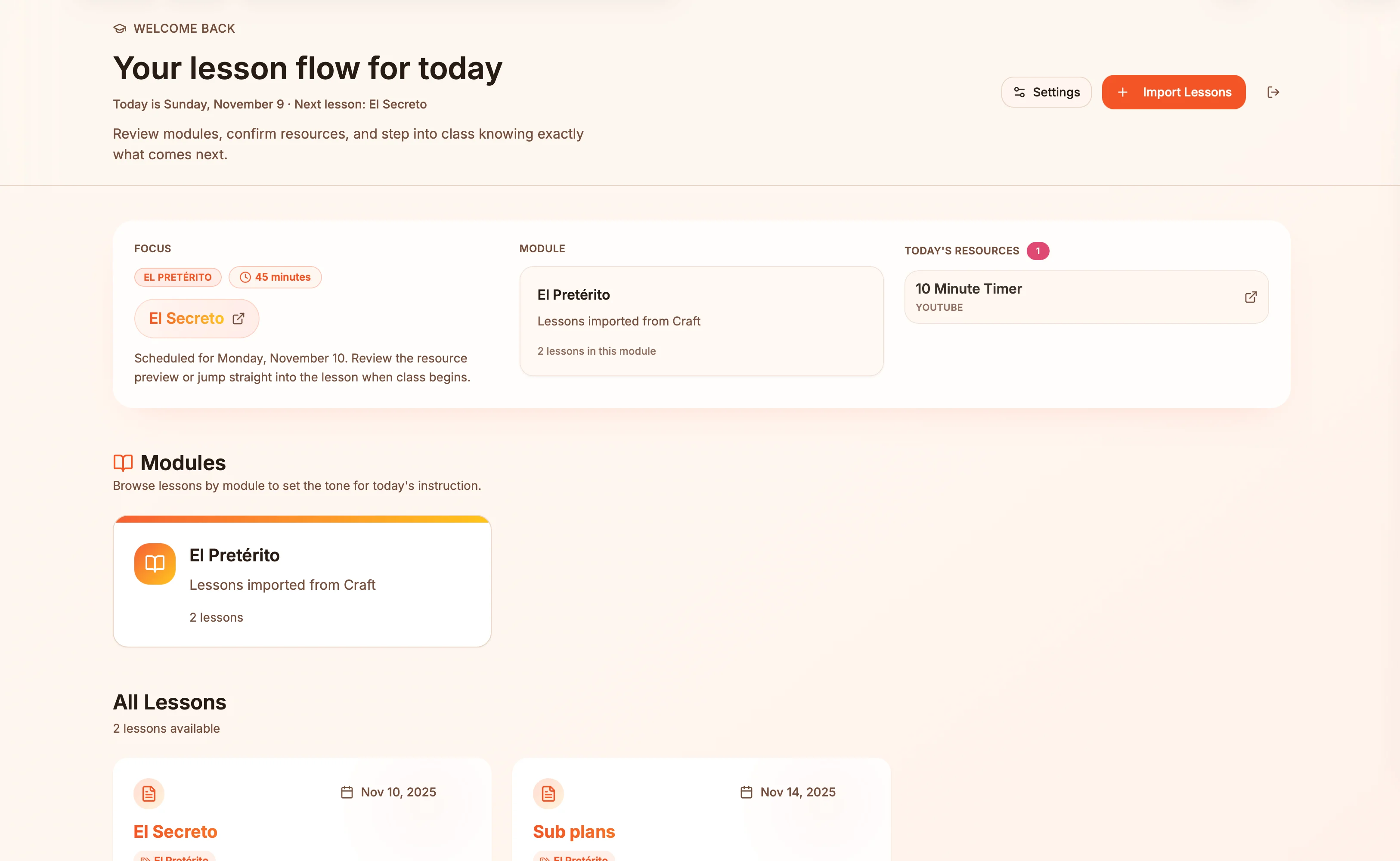
Lesson plans in Craft become live presentation slides — always in sync, zero copy-paste.
Scopri di più
An Apple Shortcut that writes your morning agenda directly into Craft Daily Notes.
Scopri di più