Craftで想像する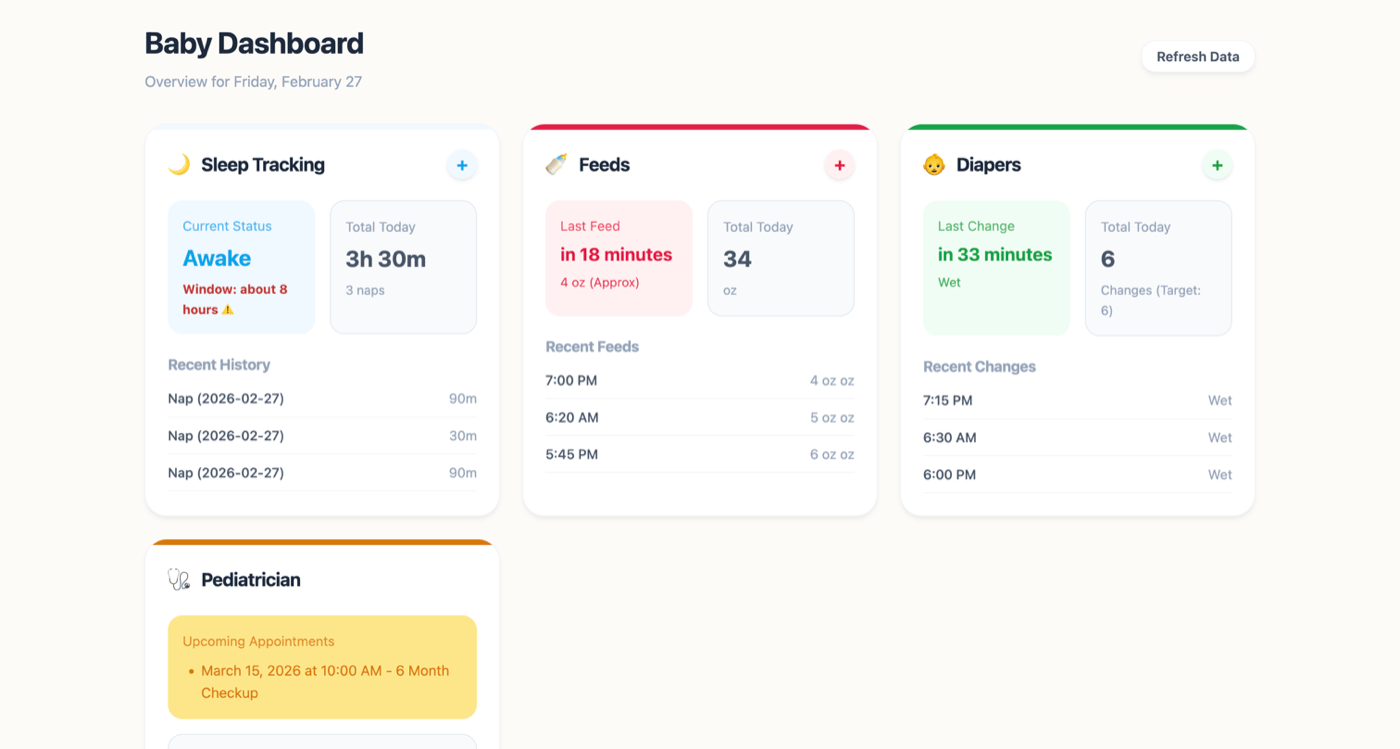
Baby OS
by Mikail Kraft
2026年冬 · カテゴリ優勝
赤ちゃん追跡アプリはあなたのデータをサーバーに置くことを要求し、サブスクリプション料金を請求します。Baby OSはCraftドキュメントをデータベースとして使う1つのHTMLファイルです。睡眠、授乳、おむつ、健康情報がすべてプライベートで、Craftのネイティブ共有機能を通じてパートナーと共有できます。


Mikail KraftがCraftを使って制作
自分で構築する
ステップ1 — Baby OSテンプレートを複製する
Baby OS テンプレートをCraftアカウントにコピーします。テンプレートは睡眠、授乳、おむつ、健康のセクションがあらかじめ構造化されており、API URLが見つかる設定ブロックも含まれています。
ステップ2 — Craft APIを有効化する
複製したドキュメントで読み取りと書き込みのAPIアクセスを有効化します。Baby OSは新しいエントリを記録するための書き込みアクセスとダッシュボードを表示するための読み取りアクセスが必要です。
ステップ1
「イマジン」タブを開きます。
ステップ2
「最初のAPI接続を追加」をクリックします。
ステップ3
API 接続の名前を設定してください。
ステップ4
「ドキュメントを追加」をクリックして、Baby OS ドキュメントを選択してください。
ステップ5
ドキュメントとのやり取りに使用する API URL が、上部に表示されるようになりました。
ステップ3 — Baby OSをダウンロードして開く
imagine.ideas.babyOs.buildIt.step3.description1
git clone https://github.com/mikailkraft/baby-os.git && cd baby-os && npm install && npm run devテンプレートの設定ブロックからAPI URLを入力して、Baby OSをCraftドキュメントに接続します。
完成形
リアルタイムの育児ダッシュボード。睡眠パターン、授乳スケジュール、おむつ追跡、健康メモがすべてプライベートなCraftドキュメントに保存されます。Baby OSには手を使わずに記録するためのAppleショートカット(昼寝、授乳、おむつ、診察を記録)も含まれており、Craftドキュメントをパートナーと共有して複数介護者でのアクセスが可能です。プロジェクト全体はオープンソースです。