Koto Forms
フォームを作成するには通常、フォームツールを選択してから、レスポンスをどこに送るかを考えます。Kotoはそれを逆にします。Craftコレクションをポイントするだけで、マッチするウェブフォームが自動生成されます。送信内容は新しいエントリとして返ってきます。CraftドキュメントがスキーマとデータベースのAI役割を果たします。

Koto.soがCraftを使って制作
自分で構築する
ステップ1 — コレクションを設計する
フォームに必要なフィールドでCraftコレクションを作成します。例:名前(テキスト)、メール(テキスト)、メッセージ(テキスト)、評価(数値)。コレクションの各列がフォームフィールドになります。
ステップ2 — Craft APIを有効化する
ドキュメントで読み取り/書き込みAPIアクセスを有効化します。KotoはフォームAIを生成するためにコレクションスキーマを読む必要があり、送信からの新しいエントリを追加するための書き込みアクセスが必要です。
ステップ1
ステップ2
ステップ3
ステップ4
ステップ5
ステップ3 — Kotoで新しいフォームを作成する
forms.koto.soにアクセスしてCreate New → New Formをクリックします。
ステップ4 — Craft APIを接続する
Craft APIのベースURLとシークレットトークンを貼り付けます。Kotoはこれらを使ってコレクションスキーマを読み取り、フォーム送信からの新しいエントリを書き込みます。
ステップ5 — コレクションを選択する
フォームに変換するコレクションを選択します。Kotoはスキーマを読み取り、マッチするフォームフィールドを自動生成します。
ステップ6 — フォームをカスタマイズする
送信ボタンのテキスト、色、成功メッセージ、リダイレクトURLを調整します。共有前にブランドやプロジェクトに合わせます。
ステップ7 — フォームを共有する
フォームのURLまたは埋め込みコードをコピーして、ウェブサイト、メール、またはソーシャルメディアなどどこでも共有します。すべての送信はリアルタイムでCraftコレクションに流れ込みます。
ステップ8 — ライブフォームを確認する
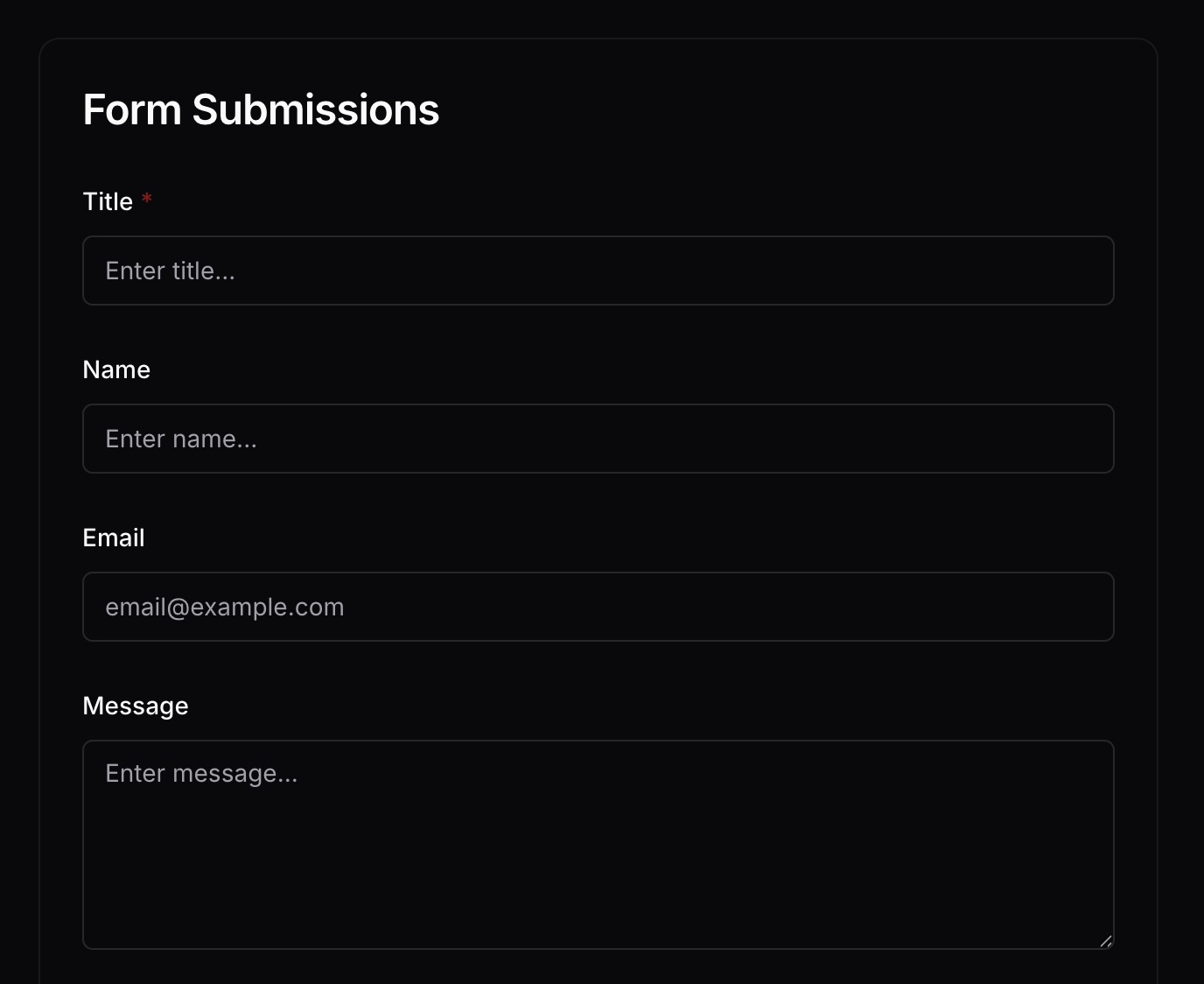
これが訪問者に表示されるものです。CraftコレクションのAI列から自動生成されたクリーンなウェブフォームです。
完成形
CraftコレクションがフォームバックエンドのAI役割を果たします。フィードバック、登録、アンケート、または構造化されたデータをクリーンなウェブフォームで収集し、すべてのレスポンスが即座に使用できる状態でCraftドキュメントに直接流れ込みます。forms.koto.soで試すか、Craft APIで独自のコレクション搭載ツールを構築してください。