Craft – The Liquid Glass Update and more – Tasks, Collections, Tags
Just weeks after our big Summer release, we’re back with something even bigger. The new Liquid Glass update builds on last year’s v3 release and continues our Year of UX journey - refining what’s already great, introducing fresh design with OS26, and enhancing Craft Assistant with Apple’s new Foundation Models.

Just weeks after our big Summer release, we’re back with something even bigger. The new Liquid Glass update builds on last year’s v3 release and continues our Year of UX journey - refining what’s already great, introducing fresh design with OS26, and enhancing Craft Assistant with Apple’s new Foundation Models.
This release is all about clarity, focus, and helping you get more done.
The Liquid Glass Sale - 40% lifetime discount
Big update = big celebration. For a limited time, you can get a 40% lifetime discount on all new Plus, Family, and Team subscriptions - or even when upgrading from older Pro and Business plans.
Subscribe via our Web app and use code SEPTEMBER25 at checkout.
This offer ends October 7.
Use SEPTEMBER25 during checkout for a 40% lifetime discount
❓️FAQ
How long is the discount valid?
The 40% off sticks around as long as you do. Stay subscribed, and you’ll keep your discount year after year.
What happens if I want a refund?
Every purchase comes with a 14-day money-back guarantee. No questions asked.
Can I use this discount for existing subscriptions?
Only if you upgrade, for example from the old Pro Tier to Plus.
Similarly if you bump into any issues during the subscription / upgrade flow, just drop us an email to support@craft.do!
Can I use this discount when subscribing via the native apps?
No, you need to login on the Web app and subscribe (or upgrade from there).
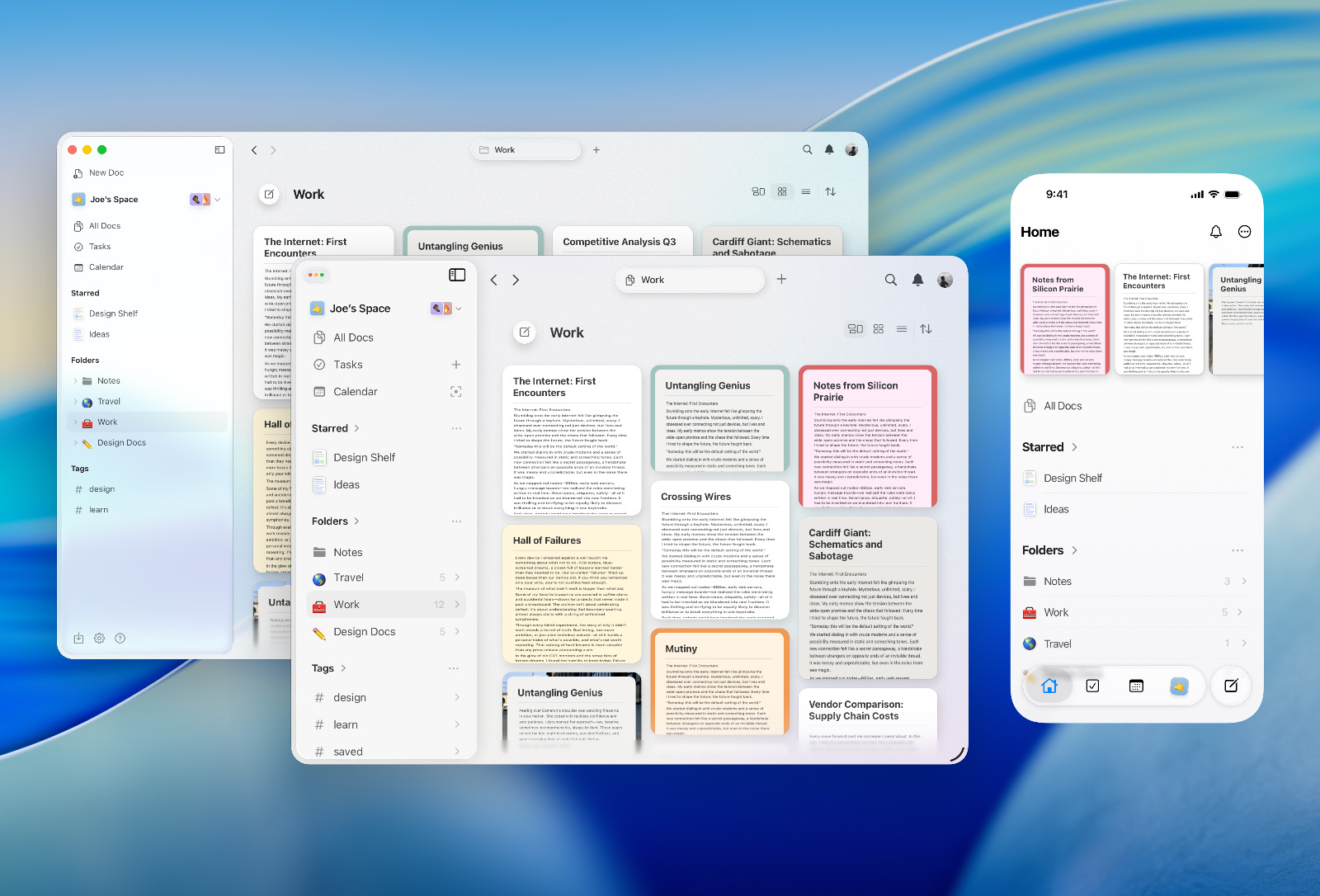
Craft feels right at home on OS26
Lighter, rounder, more fluid, but still all about your ideas, your flow, your space.
Highlights of Our Approach
-
A Fresh Visual Language
We’ve leaned into OS26’s lighter, brighter direction with softer, more rounded design cues – while keeping the core of Craft intact and using glass only where it adds clarity and focus.
-
Creating Comes First
On mobile, speed is everything. That’s why we spotlight the + button in the bottom bar, so starting something new is always one tap away.
-
The Power of iPad
With iPadOS becoming more productivity-focused, Craft shines even brighter on one of our strongest platforms. OS26 helps us amplify that strength, giving users a more capable and delightful experience.
-
Seamless Across Devices
Continuity is one of Craft’s core values. OS26’s emphasis on unification gave us the chance to refine how Craft flows between Mac, iPad, and iPhone — so you feel at home no matter where you use it.
Craft feels instantly at home on OS26 - but still uniquely ours.
Craft Assistant update with Apple’s Foundation Models
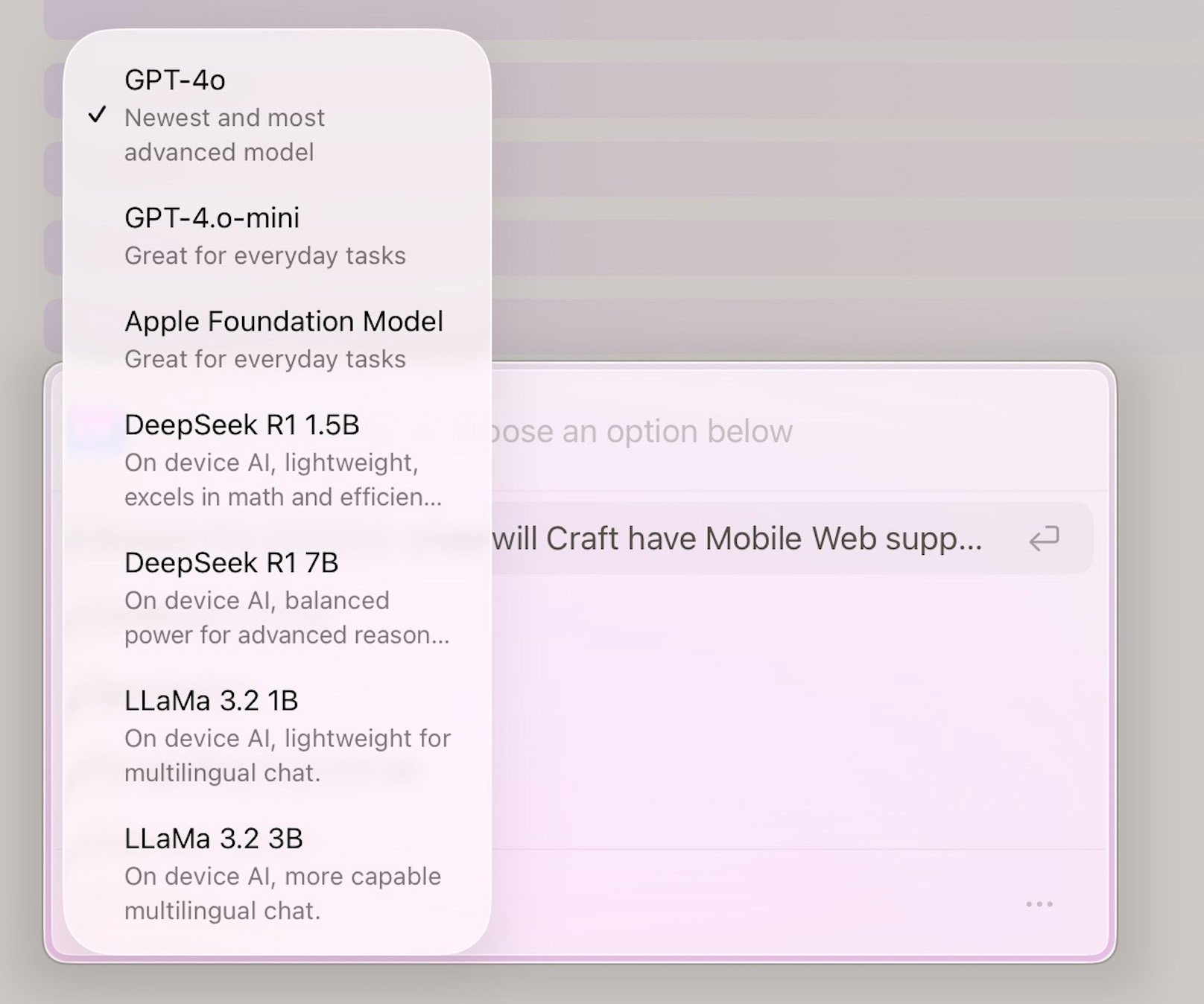
Apple’s new Foundation Models framework powers Apple Intelligence, and now you can use it directly in Craft, on-device, secure and available even offline.
-
Smarter results in every language.
-
Easy to switch to via the Craft Assistant model selector.
Tasks
The Tasks tab has been completely reworked to better match your task-management flow:
-
Inbox - all the tasks that are currently in your Inbox.
-
Today - tasks planned for today and any that are overdue.
-
Upcoming - tasks scheduled for the future.
-
All Tasks - the original view with Inbox, Pinned Docs and Docs with Tasks.
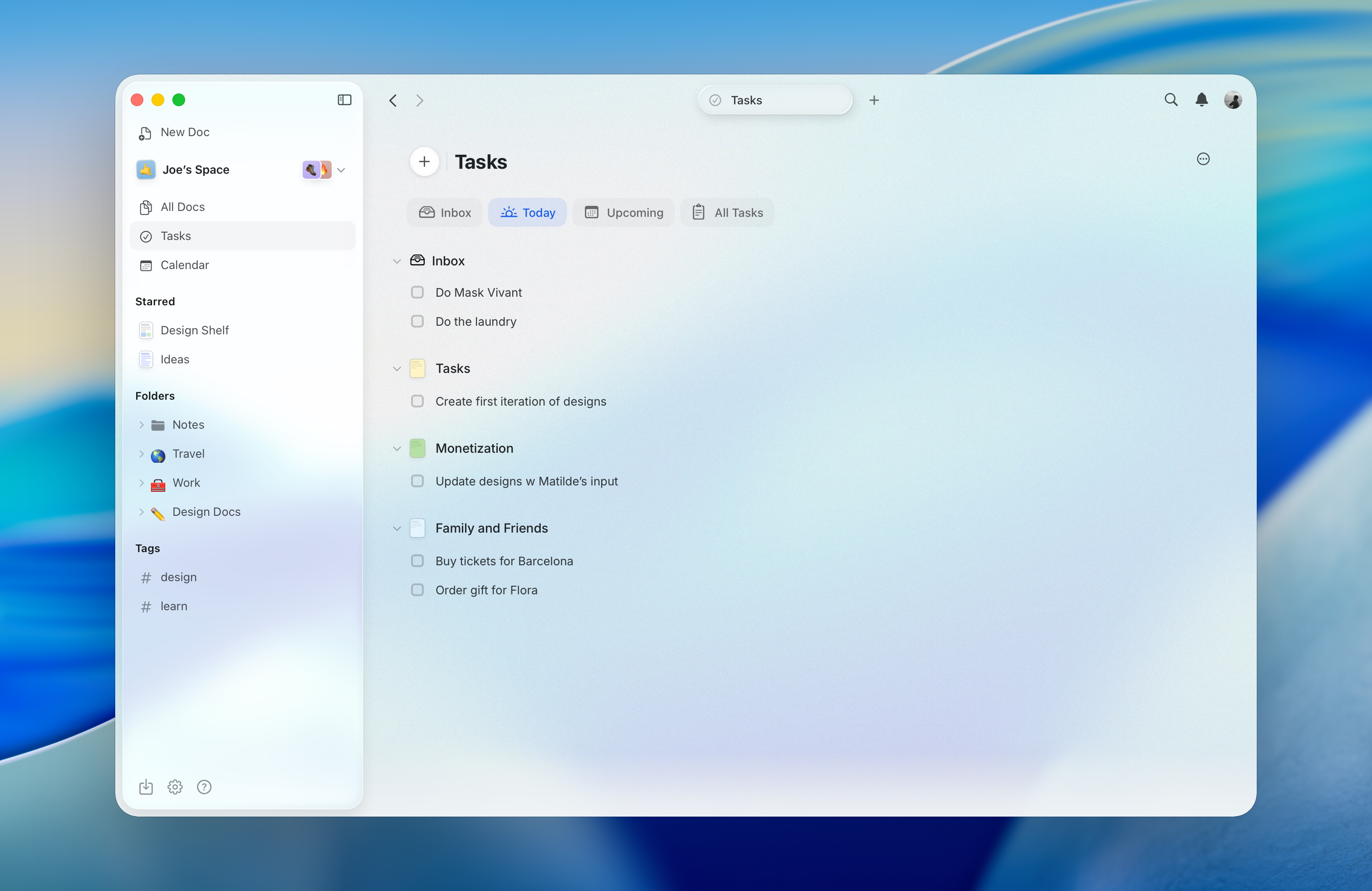
Also we introduce Task indicator for documents and separate pages. Now you can clearly see if you still have an unfinished task.
Collections improvements
We first introduced Collections with our v3 release at the end of 2024. Since then, we’ve made a handful of small tweaks, but with the September release, we’re bringing some bigger upgrades.
Under the hood, Collections are now more reliable and robust. In addition, we introduced new fields:
-
Number type was extended with Percentage and Currency support
-
Email type
-
Phone type
Tags
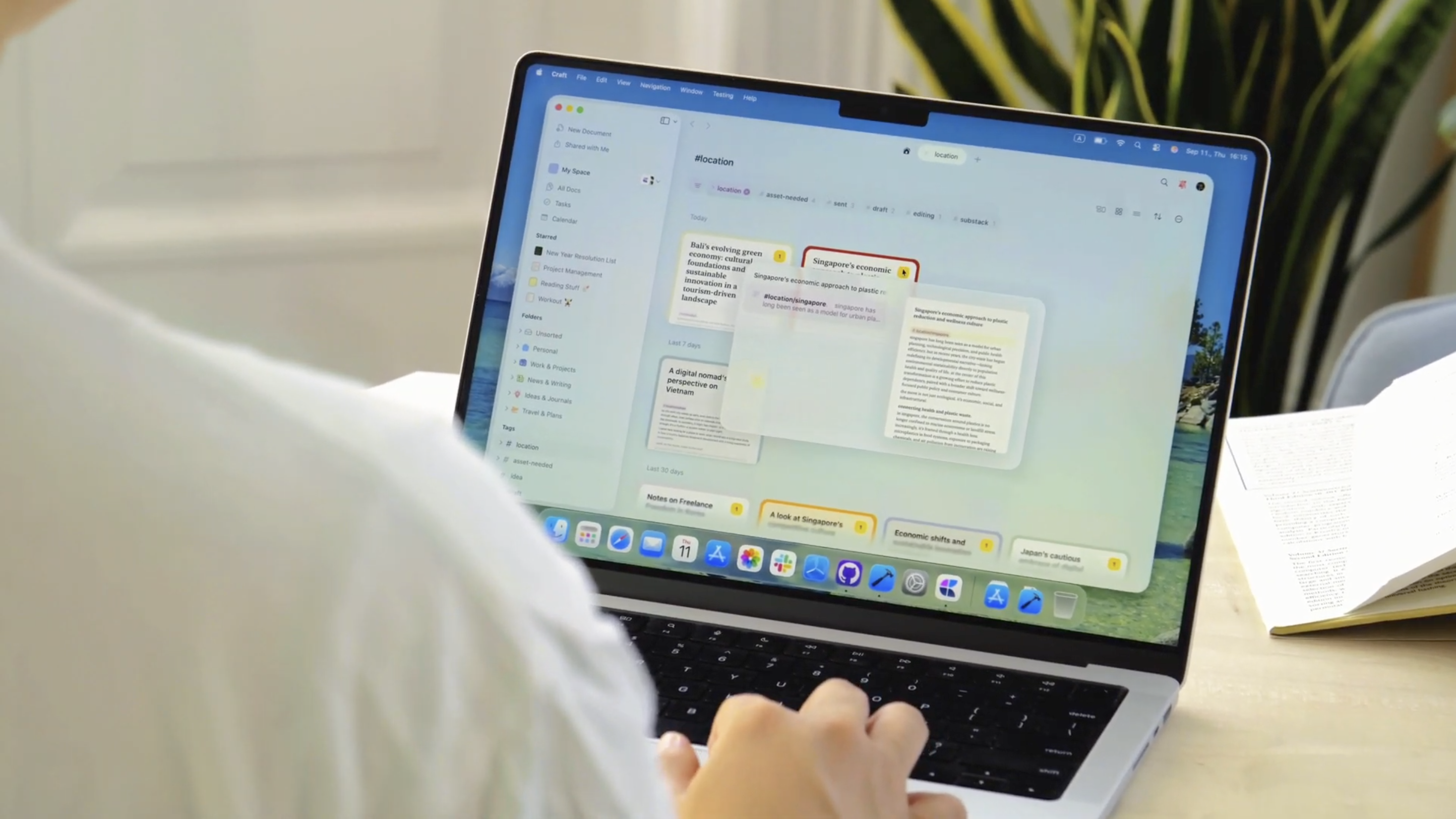
We introduced Tags with our Summer release, based on internal learnings and user feedback we are adding a number of improvements that will help you to browse and use your tags smoother - on Mac and iPad the hover menu received a full overhaul showcasing the results with the actual preview of the page.
On iPhone and iPad now you can customise the quick actions as you are adding content to your document. After long tapping the 3-dot button you can select between the 3 options:
-
Insert Hashtag
-
Add task
-
Select block
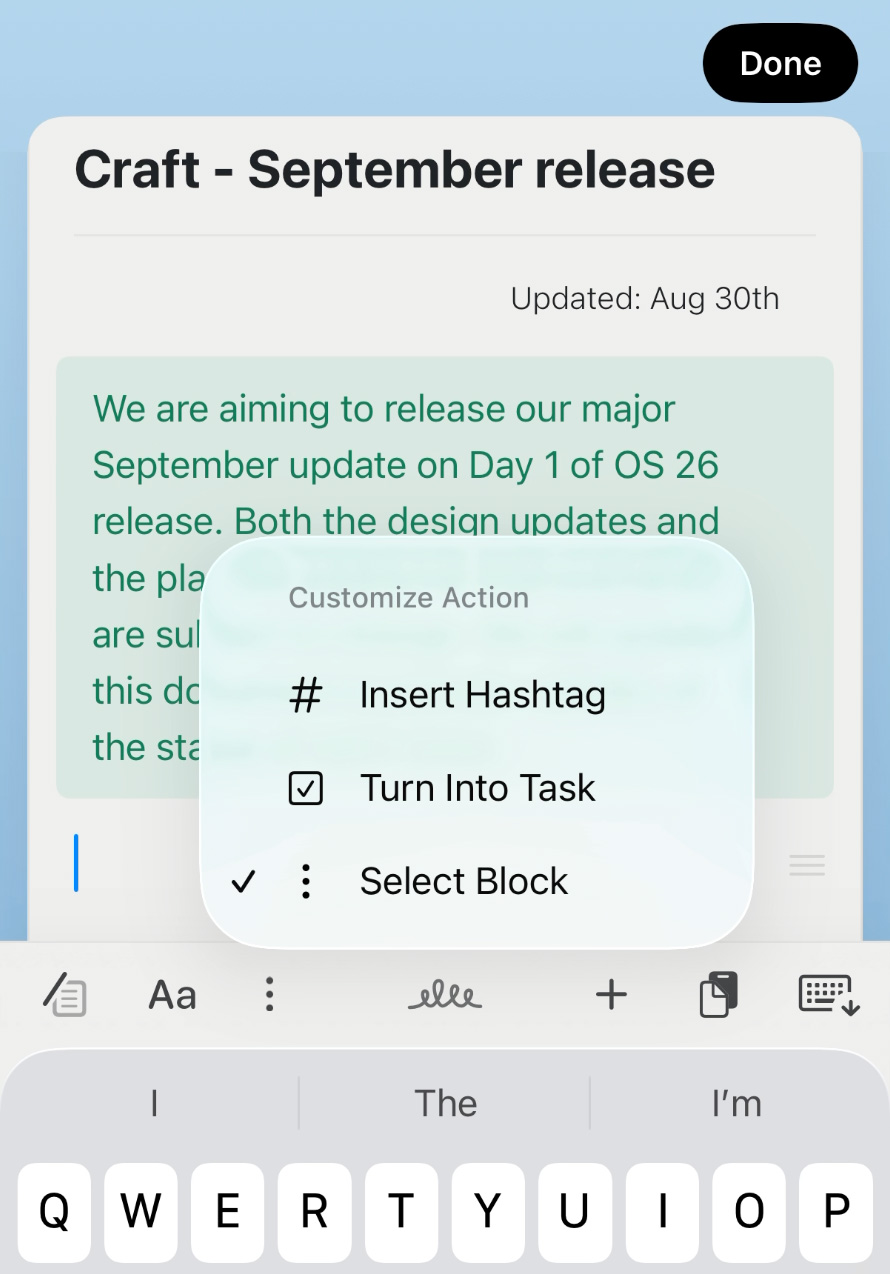
Selected option is stored on-device and can be changed under Settings > Advanced
Web and Windows focus
Over the past months we’ve been working hard to make Craft on Web and Windows better in every way. With the Summer release we added editing support for Mobile Web - and it’s been great to see so many Android users creating on the go.
Since then, we’ve shipped dozens of smaller updates, and now we’re rolling out some big improvements to the desktop experience on both Web and Windows:
Collections on Web, Windows and Publish pages
We’ve added a set of quality-of-life upgrades to make Collections easier to use, both in the editor and on published pages:
-
New field types (Email, Phone), and formatting (Percentage, Currency)
-
Resizing columns
-
Ability to rename the Title column
-
Simpler adding and editing fields
-
Confirmation step when deleting collection blocks
-
Quick text search in collection rows
More refinements
-
Sidebar customization options with drag and drop reordering and expandable sections
-
A smoother, more Mac-like experience overall
-
Improved search that remembers results even after you go back
New Look, Same Craft
Alongside the product updates, we’ve also refreshed how we present Craft to the world. Our new marketing site isn’t just a visual update — it’s a rethink of how we tell our story.
We wanted the brand to reflect what Craft truly is: a personal space for thinking, writing, and creating with clarity and calm. The new direction highlights what makes Craft unique and brings us closer to our mission: to be the most thoughtful app for personal productivity.