Craft update - OCR, Web offline mode beta, Winter Deal and more
As the end of the year approaches, we’re making one final push with this release to bring you a smarter, more helpful Craft experience.

As the end of the year approaches, we’re making one final push with this release to bring you a smarter, more helpful Craft experience.
This update introduces a much more capable Craft Assistant, including a free-to-use Help Agent you can ask anything about Craft to uncover its full potential. We’re also taking the first step toward offline support on the Web, and shipping a few improvements on Android as well. As always, thank you for all the feedback you’ve shared with us so far, it truly shapes what we build.
Here’s a quick overview of what’s new:
- OCR is here: the Assistant can now understand images and PDFs
- The improved Help Agent inside Craft Assistant is now completely free to use
- You can kick off web research directly from Craft
- The Web app now offers an opt-in offline reading mode
- Our Winter Sale is still live
- Get a 60% off bundle with Raycast, Endel, Ground News, and Craft
- Or get Craft with a 40% recurring discount
Winter Sale: save big before the end of the year
Alongside this update, our Winter Sale is live.
From December 8 to December 31, you can get a full year of Craft, Raycast, Endel, and Ground News for over 60% off, saving more than $230.
If you’re already using one or two of them, you can also grab each app individually at 30–50% off during the same period.
Check it out: theessentialsbundle.com
Craft Assistant got smarter with OCR
We’ve continued to improve Craft Assistant, and this update brings a big step forward: the Assistant can now understand images and PDFs directly inside your documents.
With images, you can instantly extract text, generate captions, describe what’s in the image, or create alt text.
With PDFs, you can summarize the document, ask questions about it, extract key information, or search inside the file. For now, PDF-related actions require using the Max model.
On Mac, simply hover over an image or PDF and you’ll see the Assistant icon appear in the top-right corner, letting you access these options instantly.
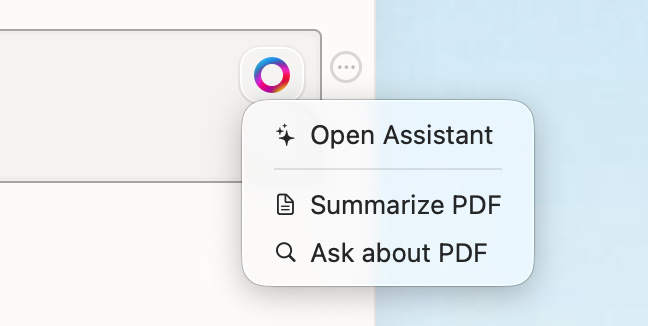
For images and PDFs, just hover over the file to quickly access the new capabilities.
We’re planning to add even more powerful features starting in January. If you have ideas or feedback, we’d love to hear from you, please take a few minutes to fill out this survey.
Help Agent improvements and Web Research
Another major improvement is how much more the Help Agent knows about Craft itself.
It can now guide you through features, workflows, and best practices, helping you unlock Craft’s full potential. Best of all, the Help Agent is now completely free and does not consume any AI credits.
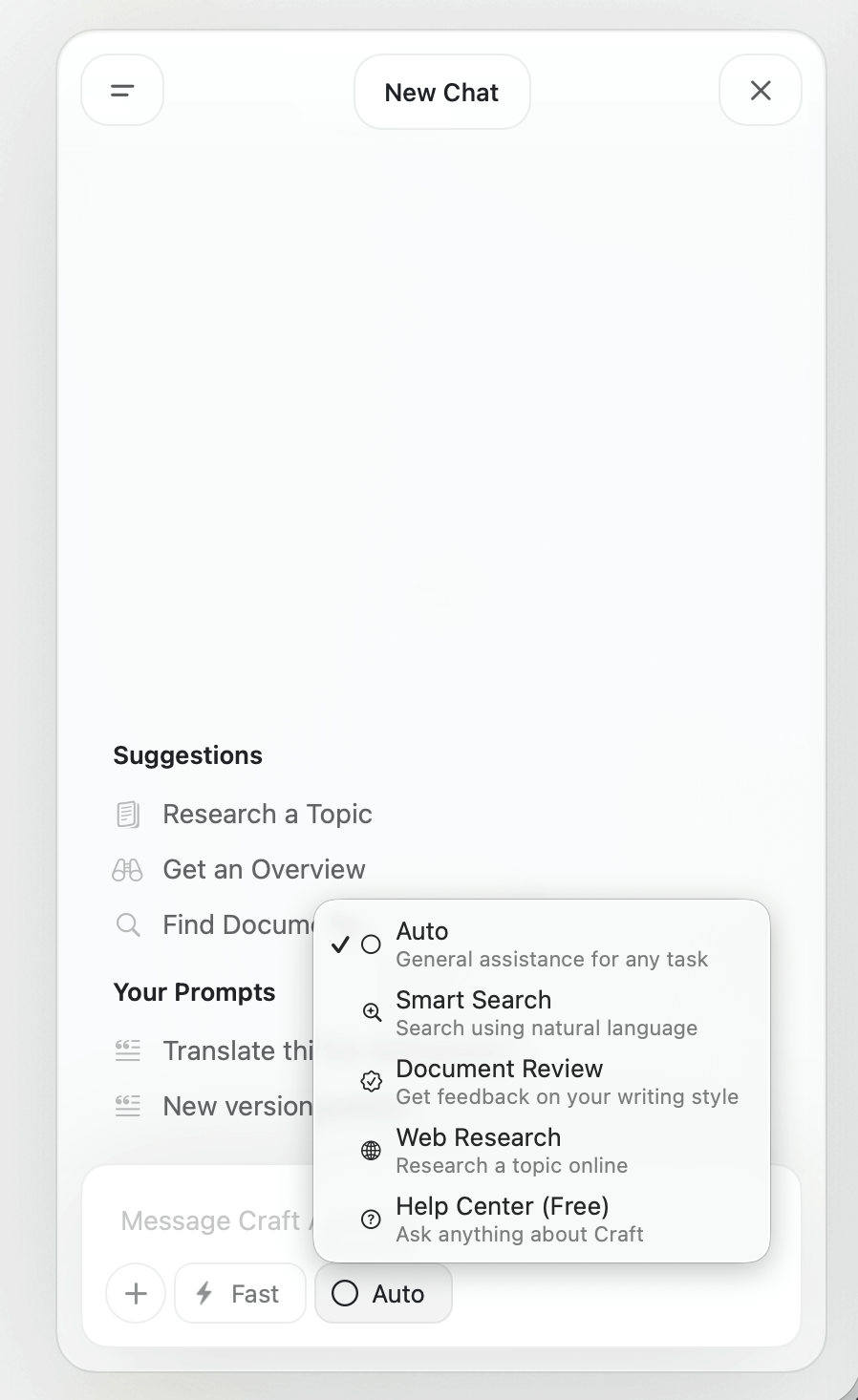
From within Craft Assistant, you can switch between different modes, including Help and Web Research.
With the new Web Research capability, you can explore topics, gather information, and get structured answers directly from Craft, without switching tabs or tools. It’s designed to help you move from question to insight faster, all in one place.
Custom prompts enhancement
Custom prompts have also been improved.
You can now add a title for better organization, and the maximum length of a custom prompt has been increased to 1,000 characters, giving you more flexibility to fine-tune your workflows.
Offline capability for the Web app
For this final release of the year, we also have something special for Web users: one of the most requested features.
You can now enable offline reading access for the Web app via Settings > Advanced. Once turned on, your content will be available for reading even when you’re offline.
This is just the first step. More offline capabilities are coming early next year, including support on Windows and Android.