Craft update - Sidebar customization, Reminders and 15+ other improvements
We prepared a smaller release that will improve your overall experience around Craft - this update brings a redesigned Reminders experience, more flexible sidebar customization, smoother editing, and a range of visual polish across Craft.

Craft update - Sidebar customization, Reminders and 15+ other improvements
Hi there,
We prepared a smaller release that will improve your overall experience around Craft - this update brings a redesigned Reminders experience, more flexible sidebar customization, smoother editing, and a range of visual polish across Craft.
You can now keep Craft cleaner by hiding Imagine and Shared with Me from the sidebar on Mac and iPad, or from the Home Screen on iPhone. Reminders are easier to manage with grouped sections for Overdue, Upcoming, and Resolved items. On Mac, you can also pin the Craft Assistant panel to the side of your window so it stays open while you write.
We've also improved styling interactions, math formulas, exports, slash menu labels, and fixed several small visual glitches across the app.
If you've been thinking about upgrading, now's a great time: our Spring Sale still live for the next few days with 40% off Plus and Family plans for life, if you upgrade through the web app.
And if you're in San Francisco the week of June 8, drop by our first ever community meetup! We will send out the invites for the applicants in the next couple of weeks!
Last Days of our Spring Sale – lock in 40% recurring discount
For a limited time, you can get a 40% recurring discount on all new Plus and Family subscriptions and upgrades from older Pro and Business plans. This offer ends on May 5 and is available only on our web app.
Use SPRING26 during checkout for a 40% lifetime discount
❓️FAQ on the Spring Sale
How long is the Spring Sale code valid for?
The 40% off sticks around as long as you do. Stay subscribed, and you’ll keep your discount year after year.
Can I use this discount for existing subscriptions?
Only if you upgrade, for example from the old Pro Tier to Plus.
If you run into any issues during the subscription or upgrade flow, just email us at support@craft.do!
Can I use this discount when subscribing via the native apps?
No, you’ll need to log in on the Web app to subscribe or upgrade there.
Home, Sidebar & Navigation
You can now hide Imagine and Shared with Me from the sidebar on Mac and iPad, and from the Home Screen on iPhone via Customize Sidebar. This is especially useful if you prefer a cleaner, more focused mobile experience.
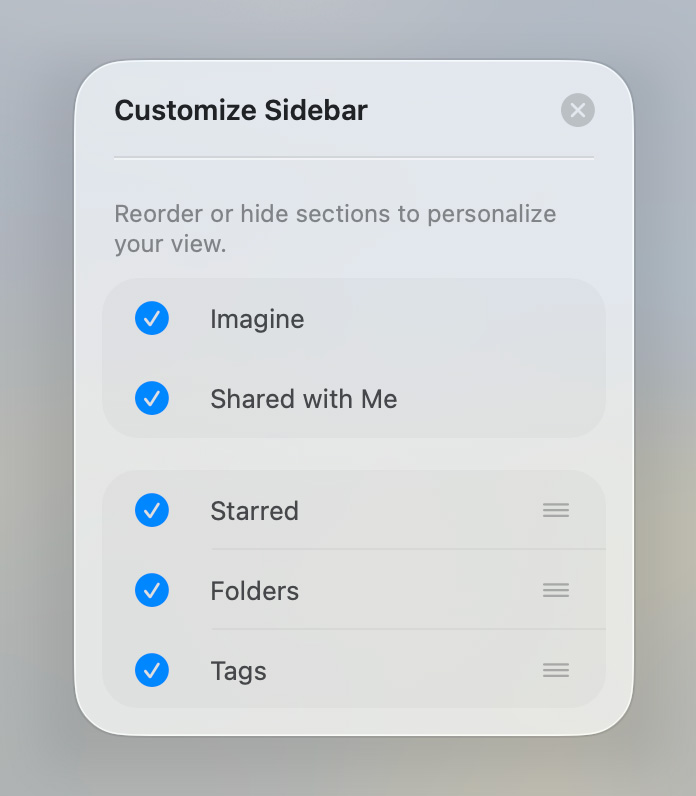
We also cleaned up several small visual details across the app, including sidebar alignment, selected Calendar states, and card style modal behavior.
Reminders
Reminders list has been redesigned with grouped Overdue, Upcoming, and Resolved sections. Resolved reminders are hidden by default, and a new 3-dot menu lets you show or hide resolved reminders, resolve all overdue reminders at once, or delete all resolved reminders with confirmation.
On iPhone and iPad, the plus button has moved to the bottom-left toolbar, and reminder icons now clearly indicate whether a reminder is overdue, upcoming, or resolved. To resolve or unresolve a reminder, use its context menu.
Slash Menu
We added a Custom Reminder option to the slash menu and block Edit menu, making it faster to add reminders without leaving the keyboard.
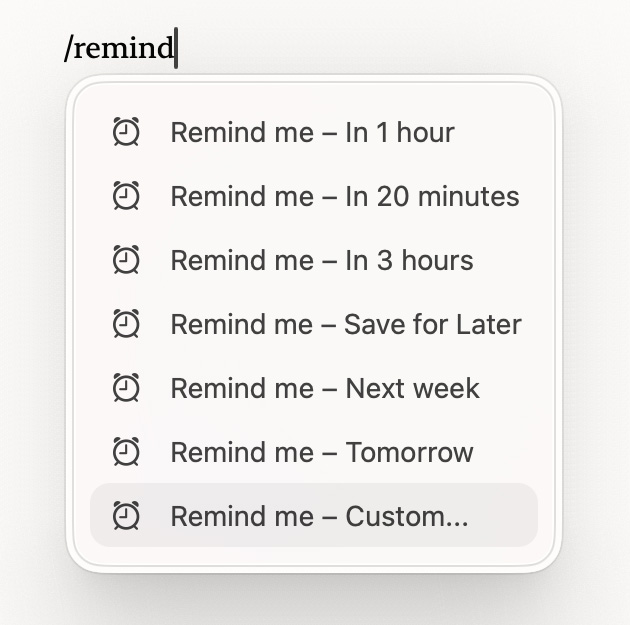
Reminder, table, and separator labels in the slash menu are now clearer too.
Tags
Tags hidden in workspace settings no longer appear as badges in block previews.
Document Editing & Styling
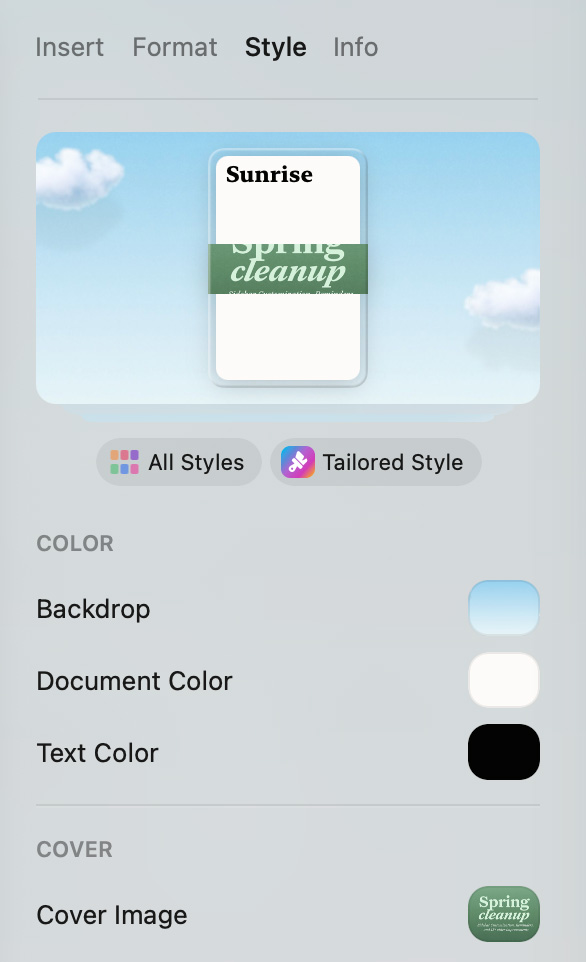
You can now drag colors, color pairs, hex strings, and images directly onto the styling panel and color targets. The dropped value applies immediately, without needing to open a picker.
Math formulas now support non-Latin characters and symbols typed directly, including emojis. We also improved spacing around \dots to better match standard mathematical typesetting.
On Mac, scrolling past a focused block no longer jumps back to it for certain block types.
Export
Mermaid XY chart axis labels, titles, and legends now render correctly in PDF and PNG exports.
Assistant
On Mac, you can now pin the Craft Assistant panel to the right side of the window so it stays open while you write. Drag it to snap, or use Pin to Side from the chat menu.
The Assistant can now also reorder rows and columns in tables, including transposing tables or moving rows to the top.
Card background colors set by the Assistant now preserve both light and dark variants correctly.
Would you join our first ever meetup in San Francisco this summer?

We are planning to have our first ever community meetup in San Francisco during the week of June 8th, where you can meet with some of the team members, hear about our plans for the rest of 2026 and meet with other Craft users.
We'll be happy to see you! If you are interested please fill out the following survey.