Craft update - Improvements all around - Collections, Web, and Windows!
Today we are sharing two big updates - quality-of-life upgrades to Collections in the native apps, and a major under-the-hood rework on Web and Windows. No new features this time, both releases foc...

Hi there,
Today we are sharing two big updates - quality-of-life upgrades to Collections in the native apps, and a major under-the-hood rework on Web and Windows. No new features this time, both releases focus on making Craft better to use every day, and both are just the first step of a broader push to improve the overall quality. We'd love to hear which quality improvements you'd like to see next!
Plus: if you're in San Francisco the week of June 8, save the date for our first ever community meetup.
Collections
This update is mainly focusing on collections to iron out usability issues and expand editing capabilities in-line on the smallest devices. We are not introducing anything new rather aiming to improve the overall experience.
Kanban - built for flow
Add items, anywhere, fast
- New always-visible "+" button at the bottom of every column
- Hover top of column on macOS for quick add & options (always visible on iOS/iPadOS)
- Top toolbar "+" adds to the first column in one click
Smarter item interactions
- Click to select on macOS / iPadOS+mouse → edit title and fields inline, delete, copy/paste
- Tap on iOS/iPadOS jumps straight to the subpage
- New button to enter subpages on hover
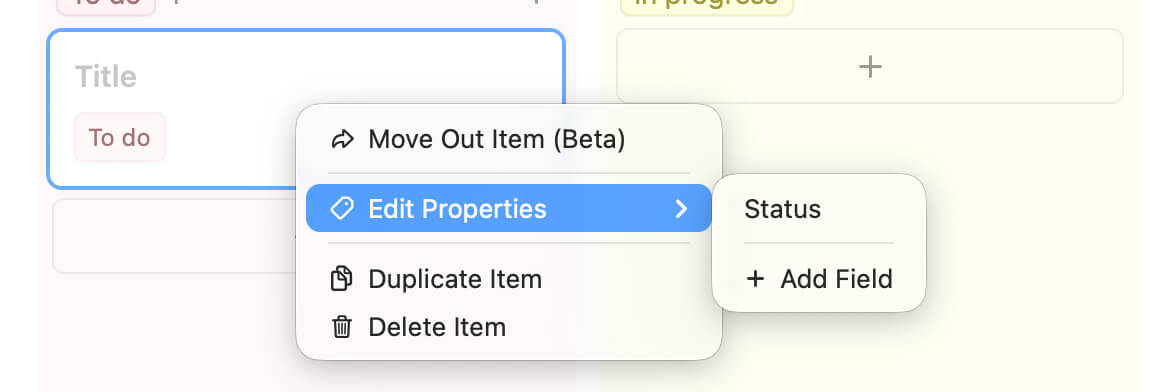
Right-click / long-press menu
- New Edit fields action: see all properties, edit values, or add a new field — without leaving the board
Groups, finally inline
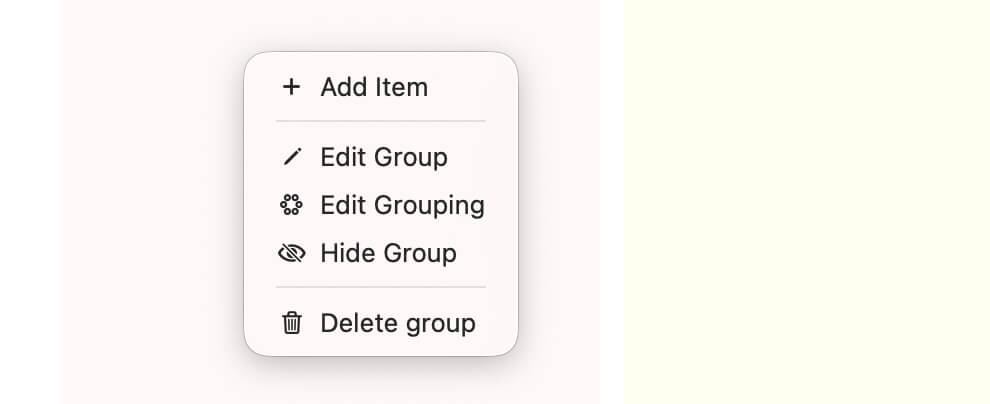
- Add a new group with a single click — hover handle on macOS, pseudo-column on touch
- Edit, hide, or delete groups from the new top 3-dot menu
Gallery - cleaner adding, same shortcuts
- New always-visible "+" tile to add the next item — smartly resizes to fit even/odd grids
- macOS: select the collection to reveal the circular blue add button
- Same click / right-click / multi-select behavior as Kanban — one mental model across views
Table - quick edits, quick adds
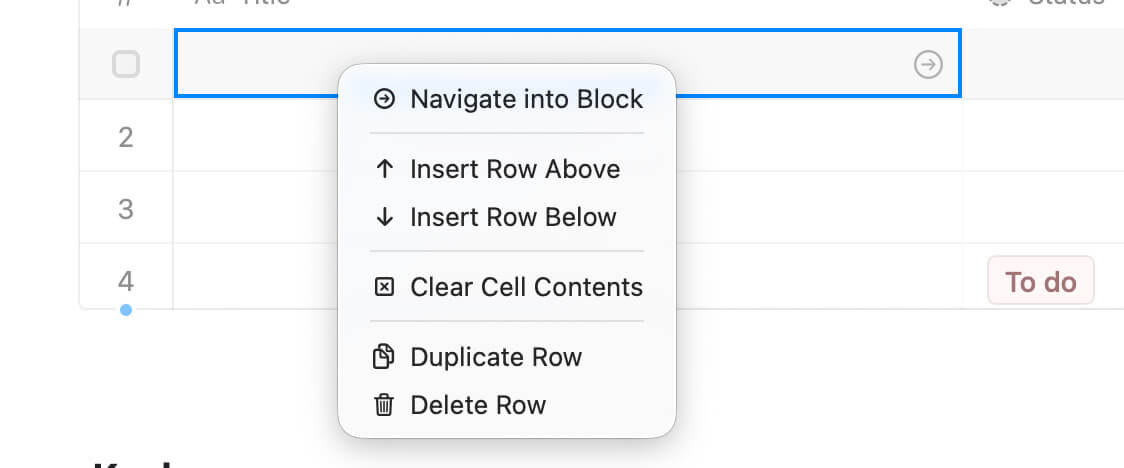
- Subtle blue dots on macOS to add items and new fields inline
- Full-screen and touch: empty row at the bottom for fast entry, plus "+" column on the right for new fields
- Tap a cell to select, tap again to edit. Tap the title cell → right arrow button to open the subpage
- Tap the row number column on iOS/iPadOS for instant multi-select
Redesigned View & Collection options
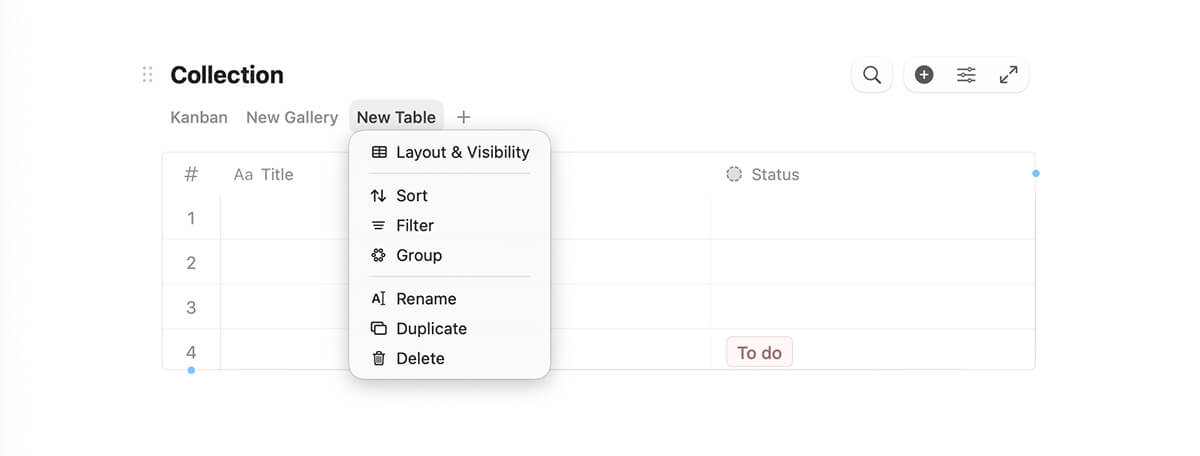
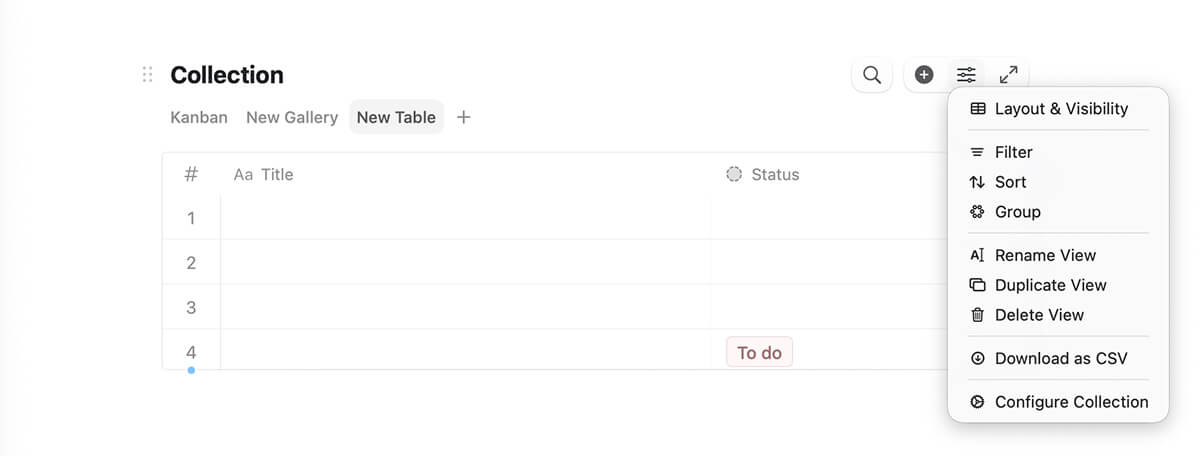
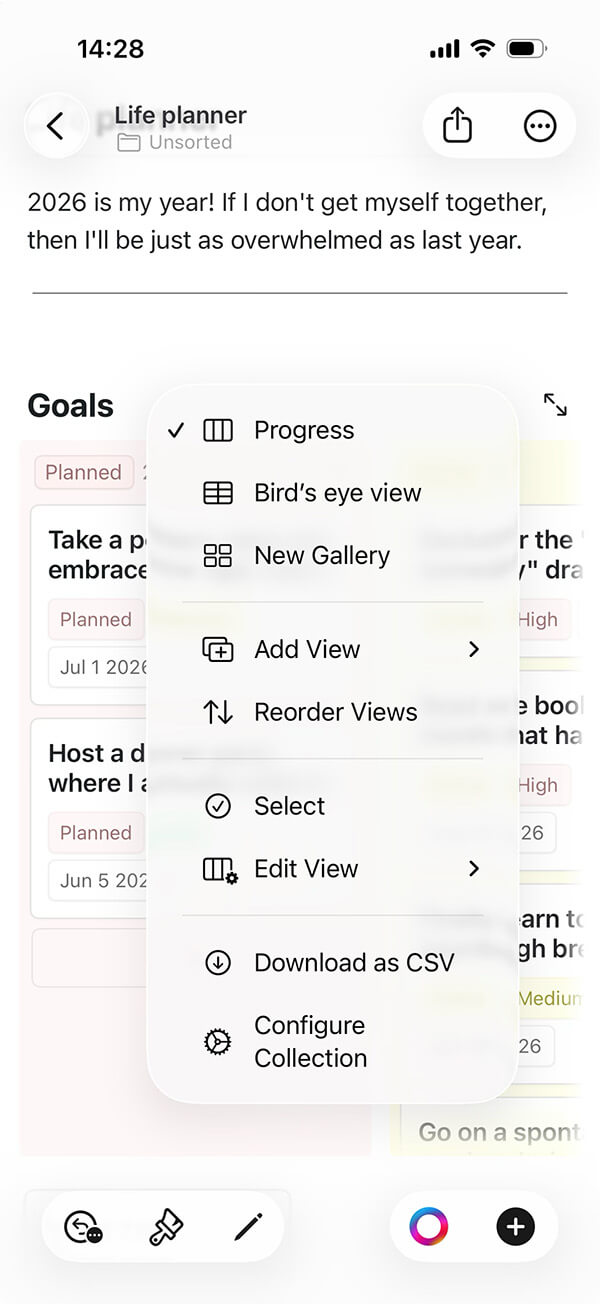
We combined the old "Kanban/Gallery/Table View" and "Change view" menus into a single panel with a tab bar on top — switch layout, tweak visibility, and manage views all in one place.
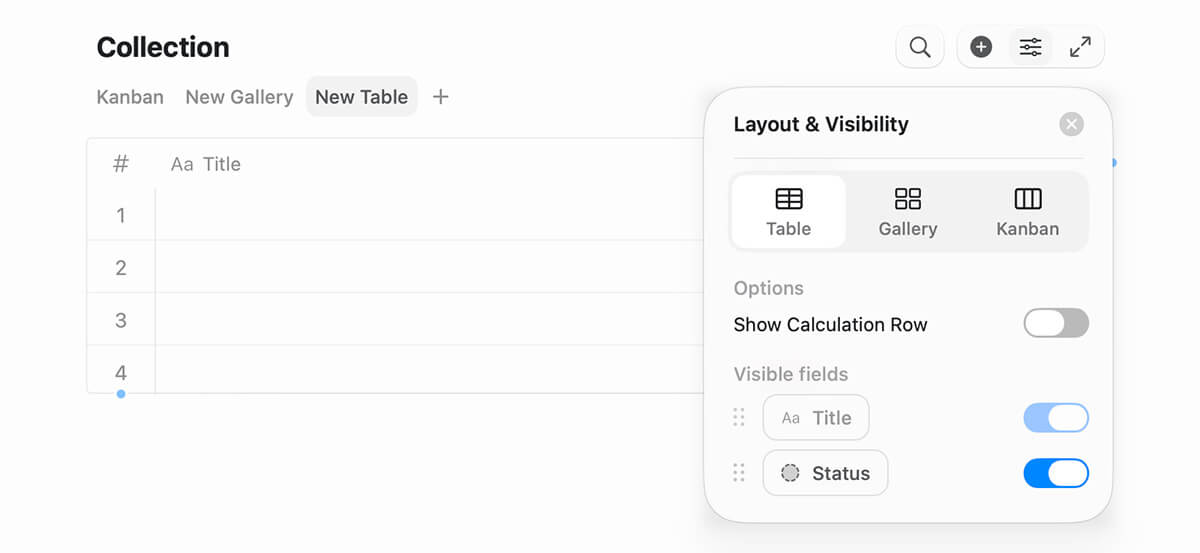
- macOS: click an active view to open the focused list
- macOS & iPadOS: tap the slider icon in the top-right toolbar.
- iOS: tap the view dropdown to open the full context menu — view options live under Edit view, with collection actions right below.
Other improvements on the native apps
- Significant performance improvements for large tables.
- Type
@in a document title to insert links - same as in text blocks. Mention people, link to other documents, or reference tasks directly from the title. Cmd+Option+Tnow reliably closes all toggles when you've selected toggles together with their content (for example, after Cmd+A).- Tap a custom reminder to jump straight into editing
- Renamed the find-and-replace option "Ignore Diacritics" to "Diacritics Insensitive" for consistency with the other, "Case Insensitive" option.
Web & Windows major under the hood rework
We've been working hard to significantly improve Craft on Web and Windows. This release is the first step in a broader push to raise the overall quality of Craft across every platform, expect more to follow.
It brings personalization, performance, and polish: new tabs open faster, memory usage is smarter, a new in-app update banner keeps you current, and we've fixed a long list of keyboard, sync, and editor issues, including a major fix for Dvorak, QWERTZ, and AZERTY layouts.
Highlights
- Faster, smoother app: New tabs open noticeably quicker thanks to a pre-warmed view. Idle background tabs are auto-released after 10 minutes to keep memory in check.
- In-app updates: A new update banner appears when an update is ready, plus a manual Check for updates button in the About section.
- Daily-note date navigator: A new pill control lets you jump between days quickly.
- Quicker navigation: "Open in new tab" is now available in folder and shared-with-me menus, and every document card has a handy Copy link action.
- Cross-tab sync: Language, theme, and "What's New" dismissal now stay in sync across all your open tabs.
- Big keyboard fix: Letter shortcuts and Cmd+. / Cmd+/ now work correctly on Dvorak, QWERTZ, AZERTY, and other non-US keyboard layouts.
- Personalize your accent color: Pick any accent color and watch it flow through the editor: links, selection, drag highlights, the daily-note "Today" header, and icon badges all adapt automatically. Dark mode keeps everything readable, even on bright accents.
Editor improvements
- Pasting into a table cell now lands inside the cell instead of below the table
- Single-click no longer toggles edit/select on empty table cells
- Improved formula editing in tables
- New visible-section indicator in the Table of Contents sidebar
- Smoother sidebar animations and tighter row spacing
- Fixed cover image clashing with content in wide page layout
- Select block on right-click
Collections
- Fixed SUM aggregation precision and grouped-calculation scope
- Kanban: fixed infinite render loop in group toggles and card insertion with duplicated column names
- Faster gallery card opening on fast double-click
- Better theming in popups and menus
Sync & stability
- More reliable cross-tab logout and restored Windows context menu
- Fixed clipping on maximized windows
- Folder move-to-root sync and root folder ordering fixed
- Tab state survives disk errors gracefully, no more crashes on low disk space
- Fewer memory leaks and render loops throughout the editor
Would you join our first ever meetup in San Francisco this summer?

We are planning to have our first ever community meetup in San Francisco during the week of June 8th, where you can meet with some of the team members, hear about our plans for the rest of 2026 and meet with other Craft users.
We'll be happy to see you! If you are interested please fill out the following survey.