Craft Update – Dark Mode Improvements and OS 27 Updates
September is always an exciting time of the year: Apple ships its latest OS, and we are very happy to share that (as always) Craft supports OS 27 from Day 1, fully optimized for the new release.

Hi there,
September is always an exciting time of the year: Apple ships its latest OS, and we are very happy to share that (as always) Craft supports OS 27 from Day 1, fully optimized for the new release.
You’ll find a refined Dark Mode (which you can enjoy on earlier OS versions too), better performance, more polished Liquid Glass, and smarter on-device intelligence built on Apple’s Foundation Models. We also put a lot of work into making sure Craft takes full advantage of the new Siri.
Last week, Apple’s new CEO John Ternus described the iPhone as an “intelligent personal hub”: the device that is always with you, understands your context, and brings intelligence to the moments that matter most. We share this vision. We want Craft to be embedded in your personal ecosystem as deeply as possible, whether that’s through secure, on-device AI with Apple Foundation Models, Siri integration, or features we are working on to bring to you soon, like an improved Share Sheet, better Widgets, or quick entry that lets you capture something and stay in your flow.
The most useful tools are the ones that understand what you’re working on. Your notes, documents and tasks are already where your thinking lives, so the more naturally Craft fits into your Apple devices, the more context it has and the more it can help: not as a separate place you have to visit, but as part of the personal system you rely on every day. That’s what optimizing for OS 27 means to us. Not just a fresh coat of paint, but Craft becoming a more native part of that hub. And this doesn’t end with today's release; it’s the start of a continuous push.
But let’s see what exactly we are bringing you with this release.
Improved Dark Mode
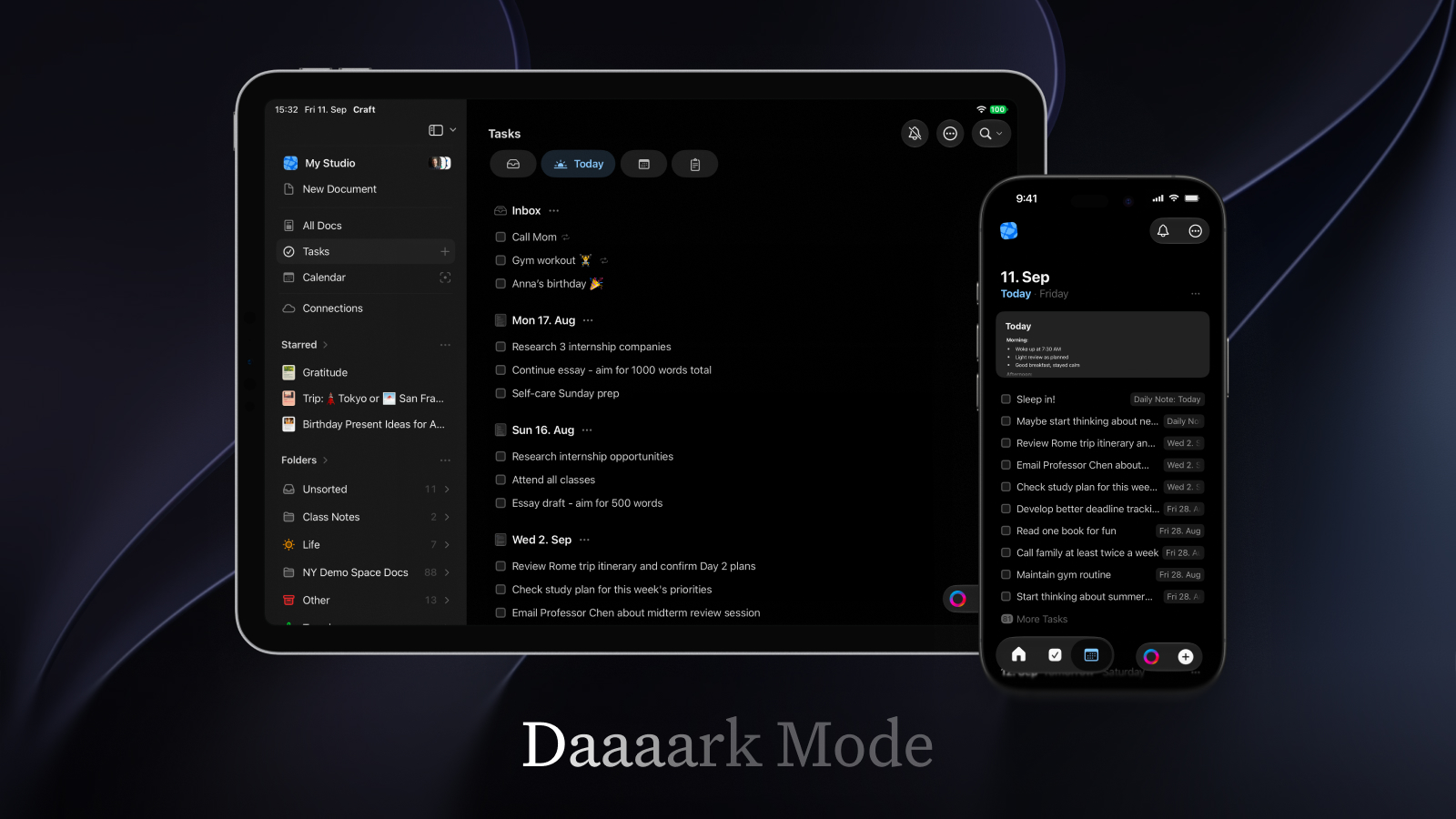
The iPhone’s dark mode and the iPad’s full screen dark mode now use a completely black app background, letting Craft make full use of the device’s very dark OLED screens. All UI elements in Craft have been adjusted for this, and the effects is a beautiful, clean edge-to-edge appearance.
Optimized for OS 27
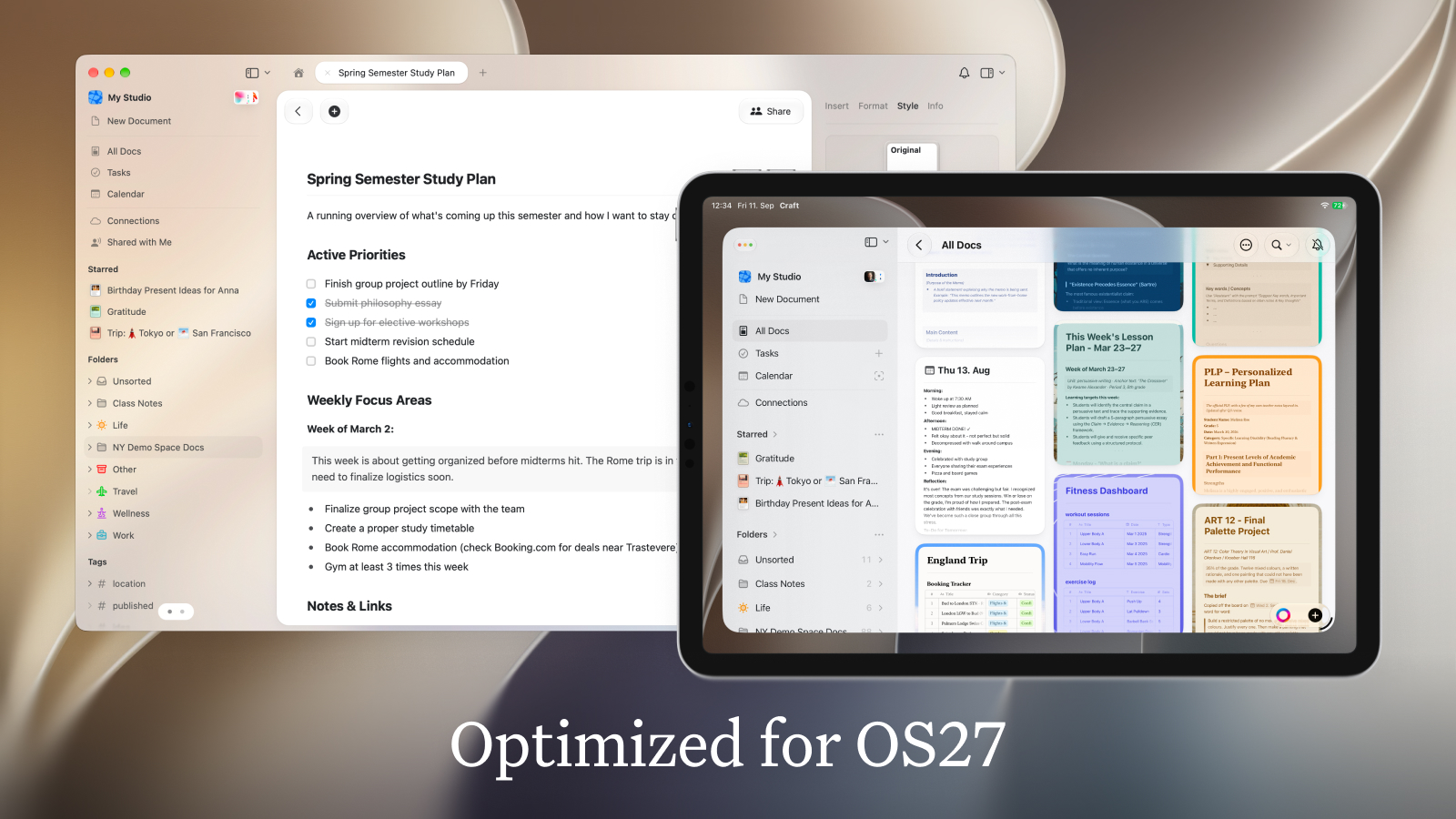
We have updated our UI for Apple’s new OS release and made sure Craft looks as good as ever on iOS27 and macOS27.
On macOS, the sidebars are placed directly on the window surface, letting the document in the center shine and capture your attention. As always the interface picks up elements from your document’s style for an immersive experience.
On iPad the left sidebar is now full flush. It has gotten a bit more spacious and refined. Of course the iPad sidebar also pick’s up your document’s style to always look smoothly integrated and not take away any focus from your document.
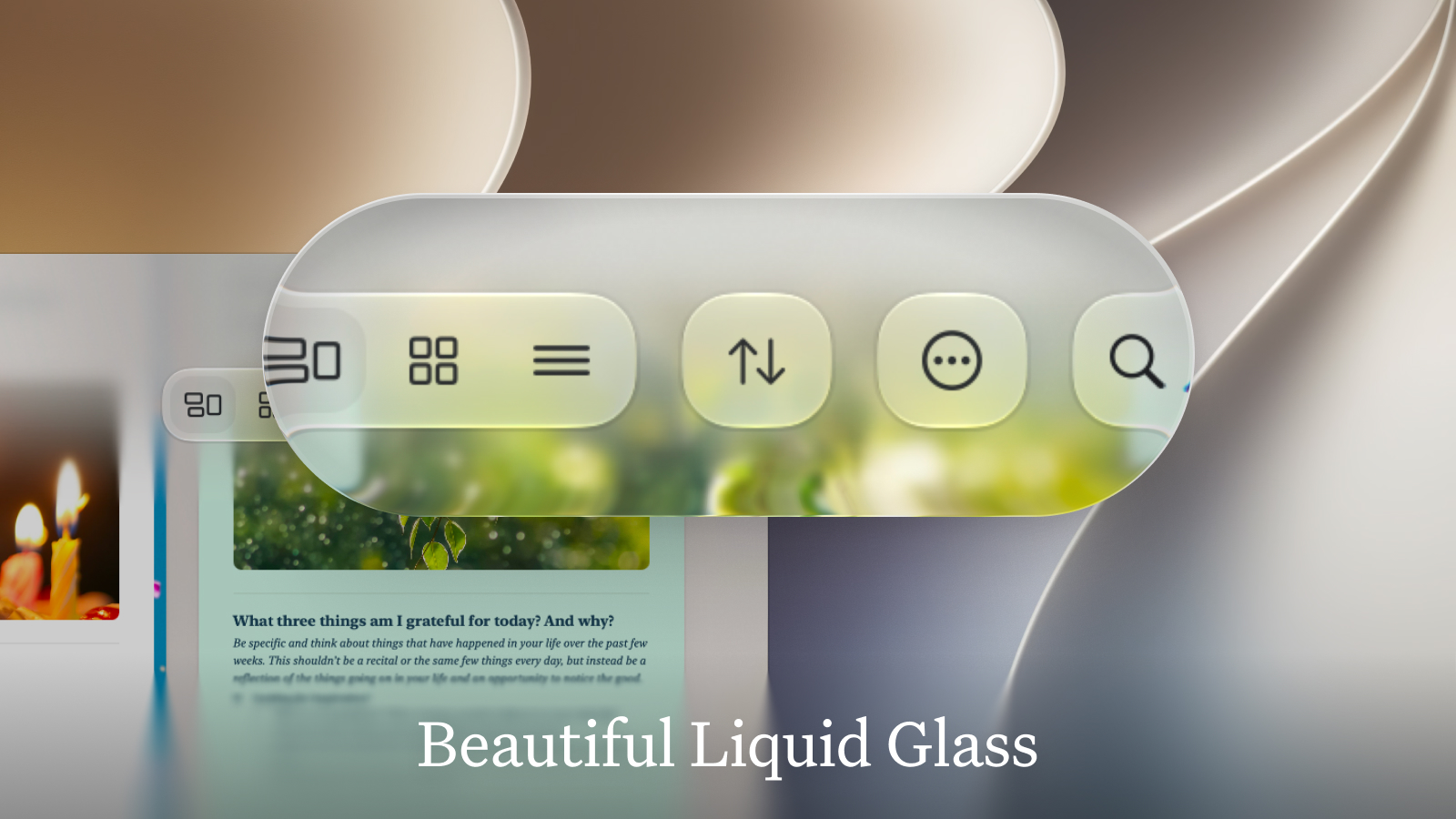
And we have made full use of Apple’s improved implementation of Liquid Glass, adding additional glass details and adjusting our components to let the refractions of the glass shine. For example when you are browsing your documents the toolbar buttons now look even more shiny and refined:
When you collapse one of the sidebars, the document smoothly adjusts its corner radius so it snugly fits into the window’s corners. We want Craft to look its best, no matter how you configure your workspace.
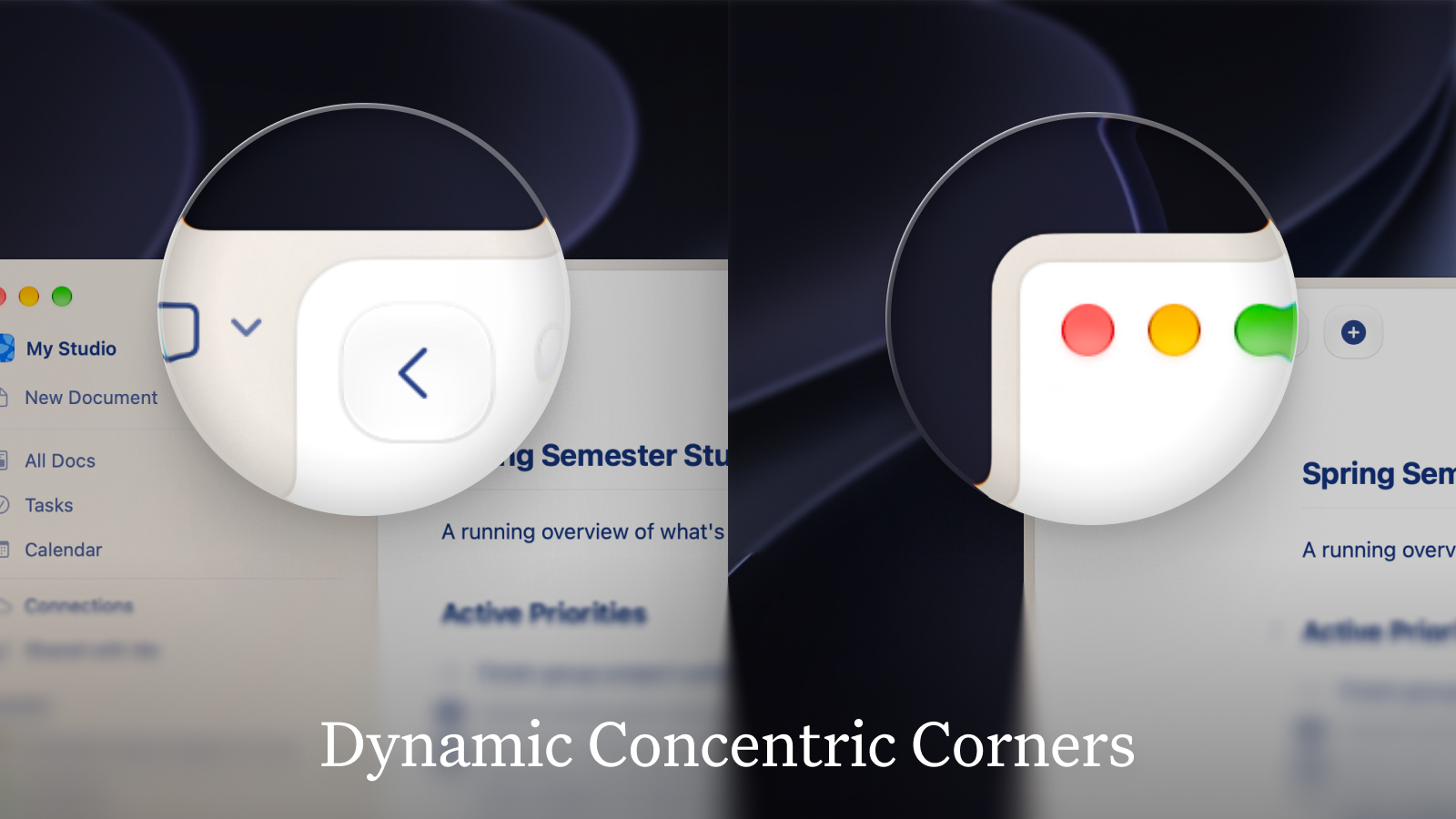
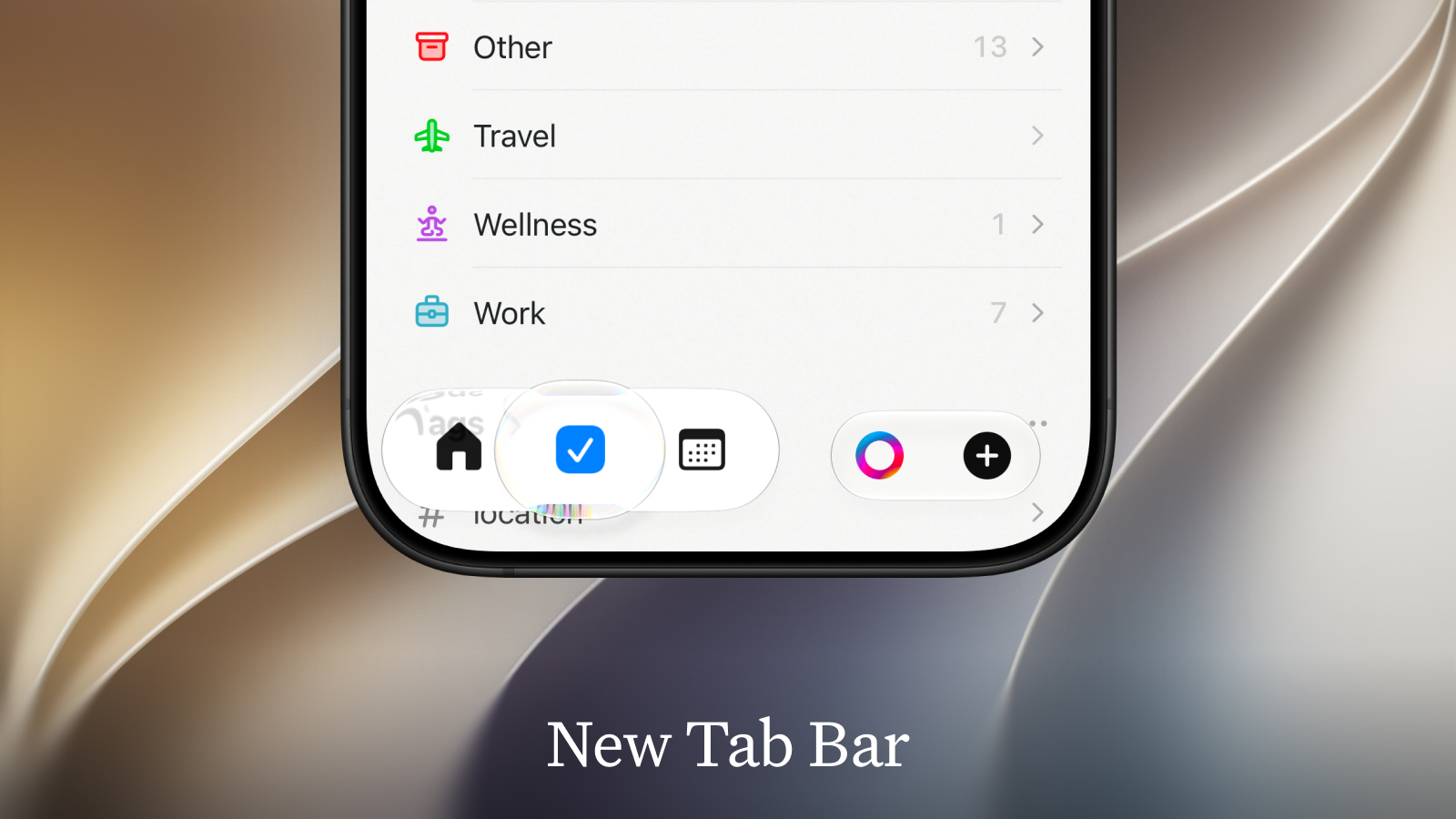
On iPhone the new tab bar now makes full use of the glass highlight when you switch between Home, Tasks and Calendar. It also stays visible as you navigate into folders, for quicker navigation and context switching. The new navigation bar at the top is a bit more separated from the content below for better readability.
Siri Support
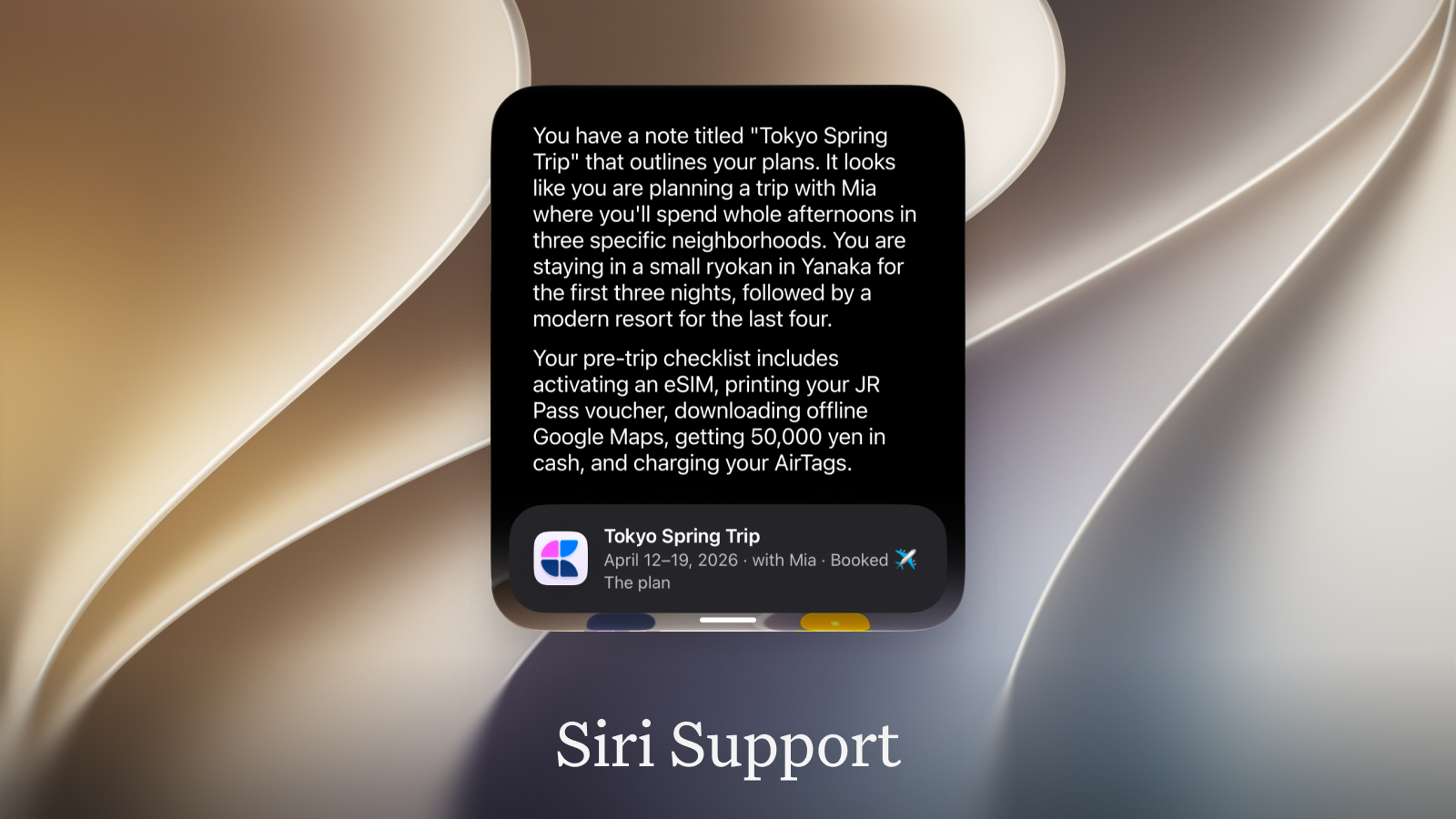
Craft is making full use of Siri’s new capabilities. Siri can now search in your documents and refer to them. When you ask questions like “Hey Siri, what are my plans for my Tokyo trip?”, Siri can find your travel plans document and read its content. Siri can also create new documents and fill them, and list and create tasks for you.
Coming Soon: Improved Shortcuts
We are working on improved support for Apple Shortcuts, letting you build even more powerful custom workflows. With more flexible shortcuts actions and support for background actions, power users can make full use of OS27’s automation capabilities.
Web and Windows improvements
Tasks, reworked
Tasks got a proper overhaul. Click a task once to select it, again to open it. Select a range with Shift+Click or Shift+Arrow keys, drag several tasks at once, and right-click for quick actions like Reschedule and Mark Tasks As.
Overdue tasks now live inside Today (in Calendar and Daily Notes), so there's one list to work through instead of two. Upcoming is tidier as well: the rest of the current month is grouped as This Month, and far-off years collapse into a single section.
Visually, badges are more compact, checkboxes pick up your accent colour for today's tasks and turn red when overdue, and Inbox, Today and Upcoming all have refreshed empty states.
Keyboard shortcuts for everything
- Complete a task:
Cmd+Option+T(Ctrl+Alt+Ton Windows), or simplyCmd+/ - Cancel a task:
Cmd+Option+Shift+T(Ctrl+Alt+Shift+T) - Schedule:
Cmd+Shift+Sopens the date picker;Cmd+Option+Shift+S(Ctrl+Alt+Son Windows) schedules for today instantly, turning a block into a task if needed - Open a task's page:
Cmd+Right(Ctrl+Righton Windows) - Delete selected tasks:
Backspace
Heads-up: the strikethrough shortcut has moved to Cmd+Shift+- (Ctrl+Shift+- on Windows).
And there's a new Keyboard Shortcuts sheet that lists all of them, open it with Option+Cmd+, (Ctrl+Shift+, on Windows).
Fixes
- Windows: the app no longer opens to a blank window when a proxy is configured
- Documents pinned on Mac or iPhone now show up on Web and Windows
- Folder icons and colours sync correctly across platforms
- Task dates roll over properly at midnight