Craft Update – Shortcuts, Widgets, Localization and more powerful Plus tier
Today’s update is a big one. We’re making the Plus tier more powerful at the same price: from today, Plus includes 10 Spaces instead of 5, with more improvements coming soon!

Hi there,
Today’s update is a big one. We’re making the Plus tier more powerful at the same price: from today, Plus includes 10 Spaces instead of 5, with more improvements coming soon!
On the product side, this release is all about embedding Craft deeper into your Apple ecosystem: reach your notes and tasks from Shortcuts, Siri, widgets, the Lock Screen, and Control Center. We’re also making a big push on localisation with improved CJK (Chinese, Japanese, Korean) fonts and localised templates rolling out soon, and Craft is ready for iPhone Duo from Day 1.
There’s a lot to share, so let’s jump into the details!
Or if you want, watch our video overview first.
More powerful Plus tier for the same price
Our goal is to build the best personal productivity app. We believe productivity software should help you think clearly, write effectively, and turn ideas into action. Craft’s role is to bring those pieces together in a single, personal experience.
To get there, we focus on four principles: quality, reliability, built with our community, and fair pricing. Over the past months we covered the first three, now it’s time for fair pricing.
For us, fair pricing means you shouldn’t end up paying more for Craft over time, even as the product improves. As Craft gets better you should enjoy the benefits and don’t need to worry that we will increase the price or introduce new, more expensive tiers.
With today’s release Plus becomes more powerful without any change in price: from today, Plus includes 10 Spaces instead of 5.
We are also announcing three further improvements coming in the next months:
- Space guests are coming back - You can already publish a document to read and comment or share it to edit together with others even without a Craft account, you can also create a Team and collaborate across Spaces. But often you just need a simple solution to bring a couple of people into a Space - a study group, a client you work with as a freelancer or you are introducing Craft into your friends and family. For all of those Space guests will be a perfect solution, and it's coming soon!
- Custom domain per Space - Right now you can set a single custom domain for your account, and it is used in every Space. Many of you told us you’d like a different domain per Space to keep the different parts of your life apart, especially if you run several side businesses or work with multiple clients. This option is also coming in a few months.
- 1 million+ blocks per Space - Today, because of performance considerations and device memory limitations the maximum size of a Space is 300,000 blocks. That's enough for 5+ years in 99.9% of the cases, but we want you to never think about this. Today we are opening a beta, where we will increase the limit step by step, and then roll it out to everyone.
We are building Craft for the years to come, together with our Community - we hope you will like these updates!
Reworked Shortcuts support
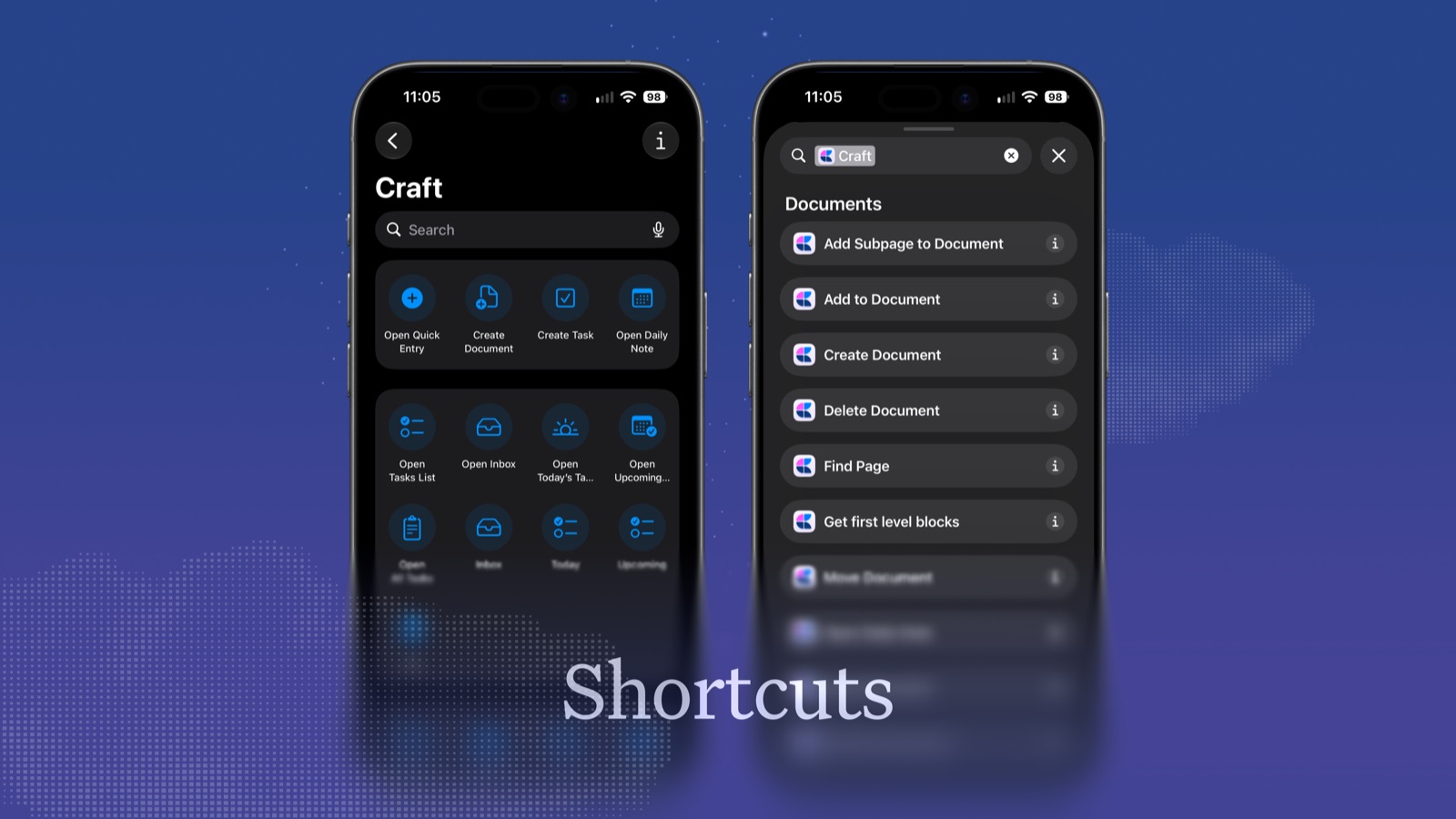
Our Shortcuts that you can use to build your own automations and workflows in Apple’s Shortcuts app have gotten completely reworked. They are now more granular, to allow for more complex workflows, support background execution and many new actions have been added.
⚠️ Important: This might break some of your existing Shortcuts as we rebuilt everything in a future looking manner. Read more here: https://support.craft.do/en/integrate/apple-shortcuts#existing-shortcuts-and-legacy-actions
Widgets
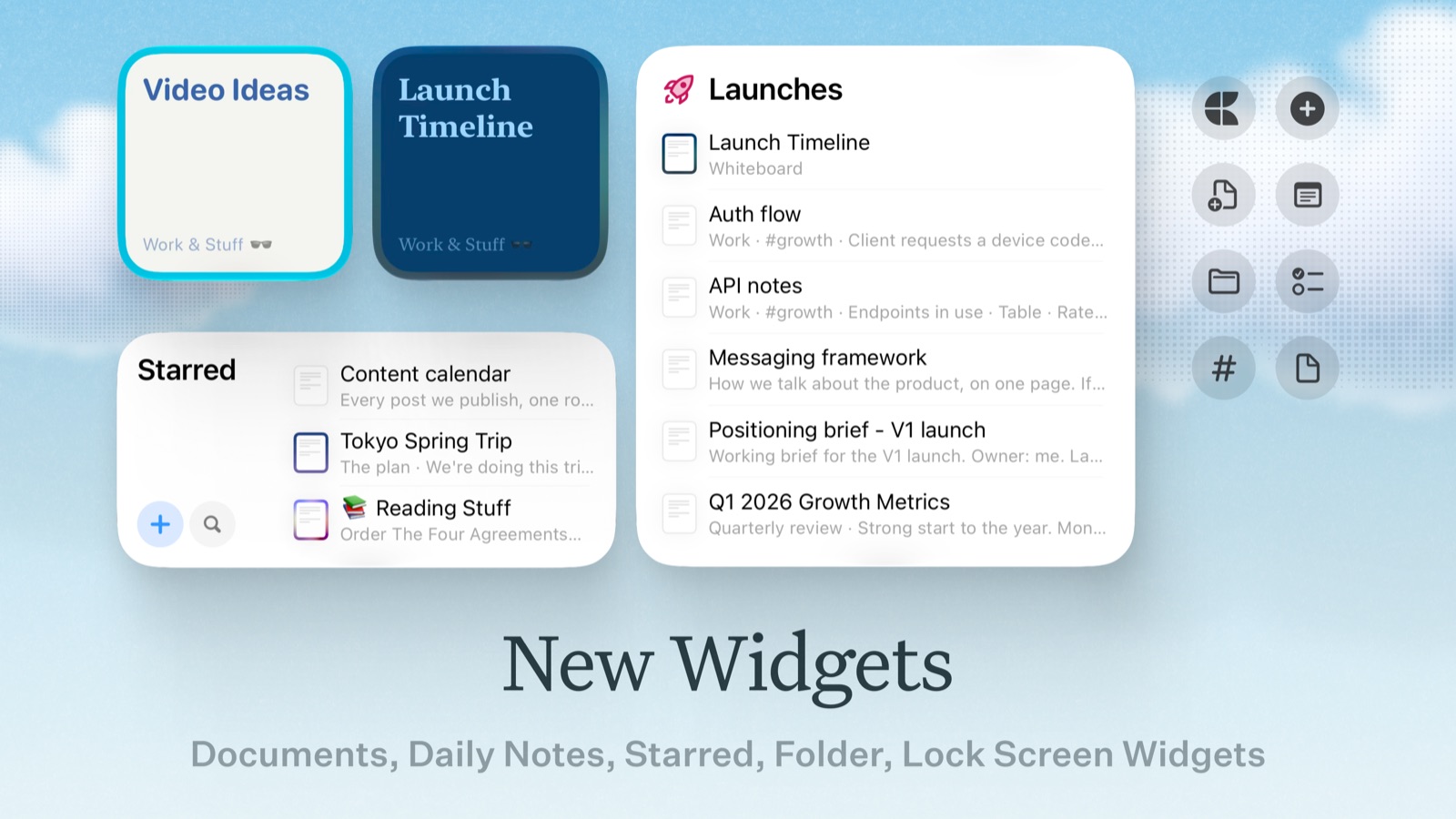
Our home screen widgets have gotten a bit of polish, and we have added a whole set of new and configurable Lock Screen widgets, as well as completely new Control Center widgets. Add and configure them to quickly open Quick Entry or today’s daily note; create a new document in a specified folder; jump directly to a specific document, folder or tag; or open a task list.
Quick Entry on iOS
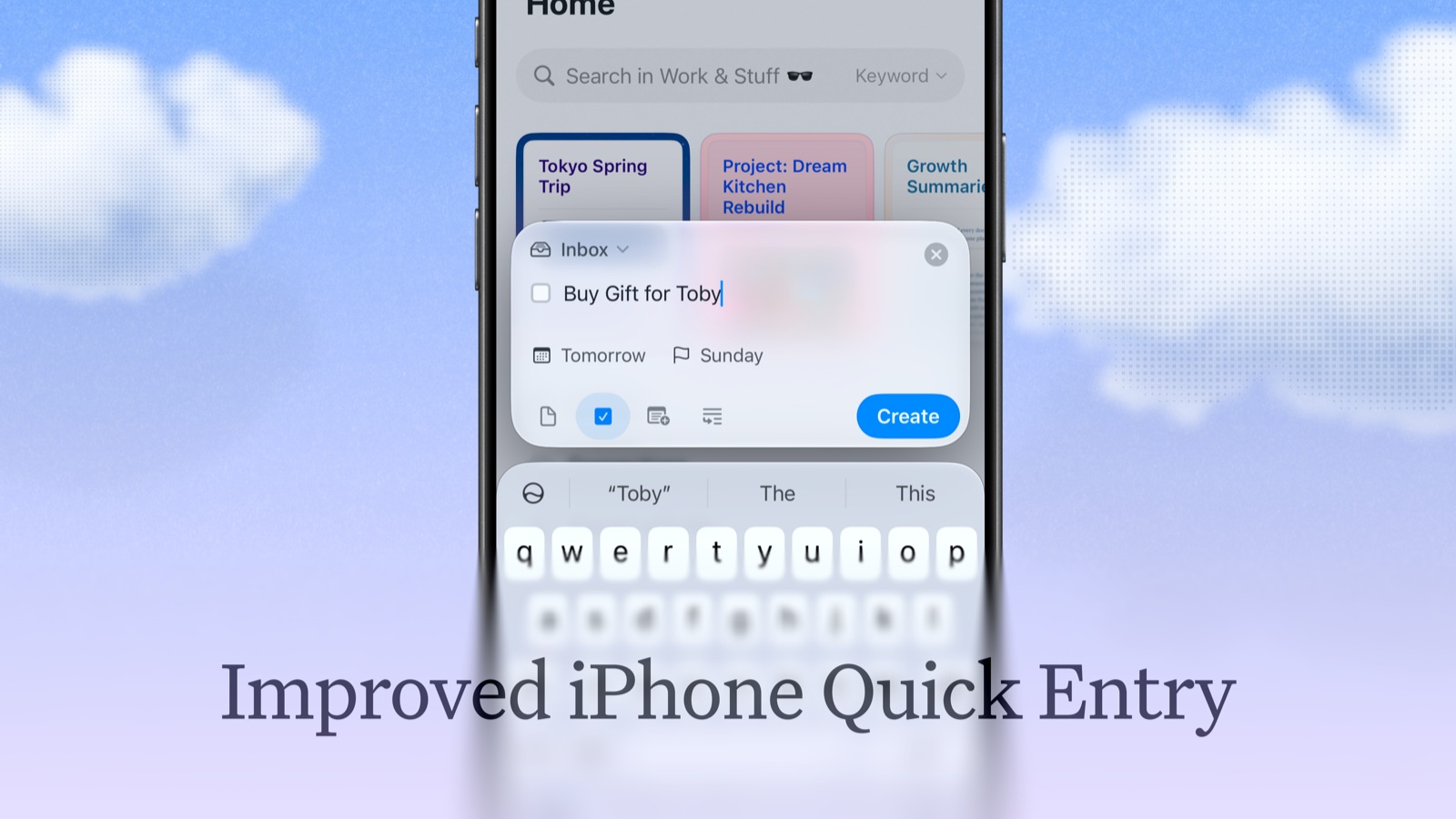
Quick Entry on iPhone has gotten an update, and now also supports the new “Add to Document” mode, just like on macOS. On iPads, Quick Entry is now also available via keyboard shortcut from anywhere within the app (⌥ ⌘ Space).
CJK Fonts

Our native apps are getting improved support for Chinese, Japanese and Korean writing systems. They now support all four font styles in various weights and in italics.
Important: To use the improved typography, go to Settings → Language & Spelling and select your language. Craft will then download the special fonts for the corresponding writing system and prompt you to restart the app. After a restart, improved fonts are enabled. (Improved fonts for CJK writing systems depend on the corresponding language being selected for the Craft app.)
Localised Templates are coming!
We are also rolling out localised templates alongside the English ones in the coming weeks. If you have a template that you think others would find useful, please share it with us by sending it over to support@craft.do.
Ready for iPhone Duo from Day 1
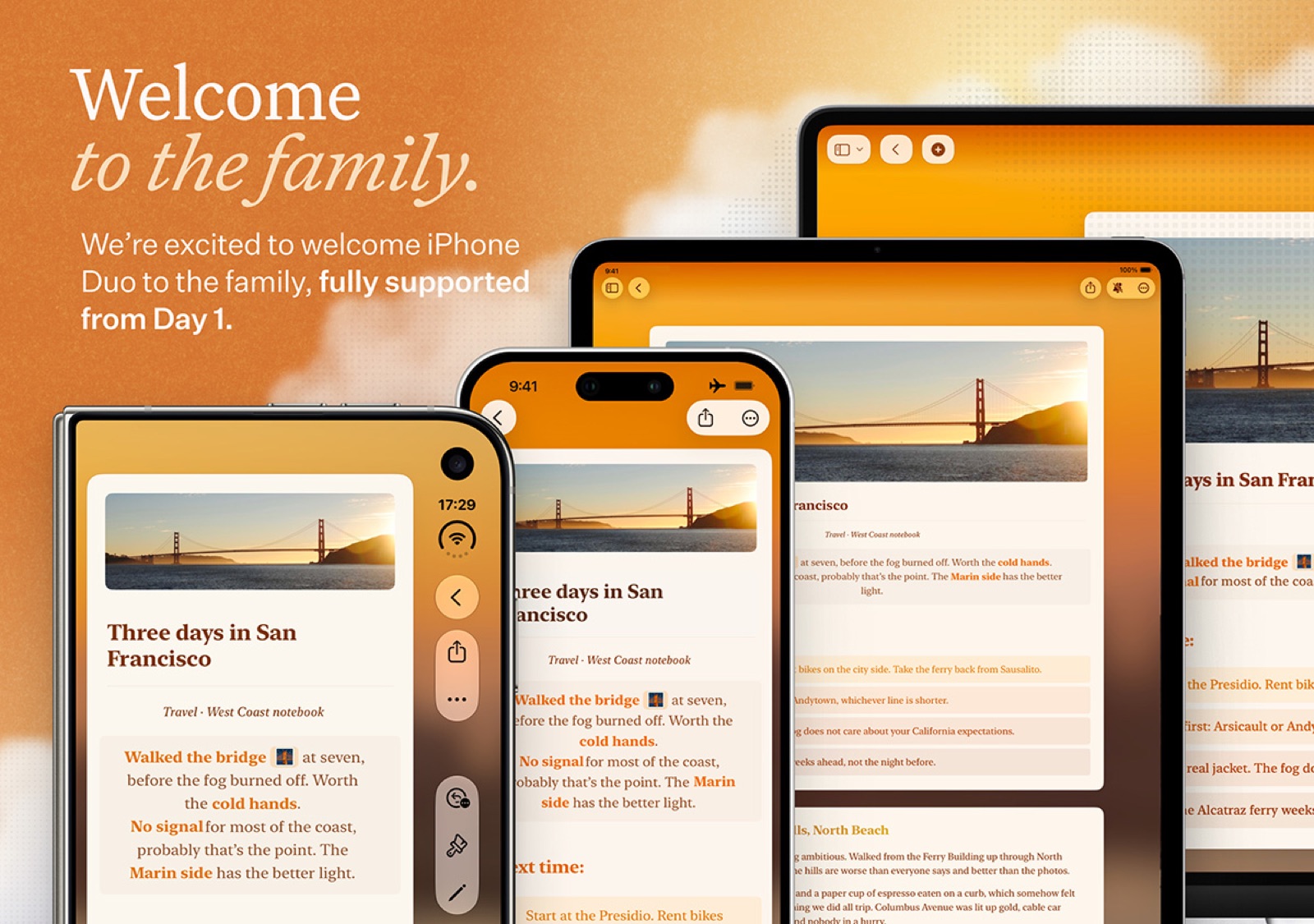
We’re excited about iPhone Duo, and we’ve worked hard over the past weeks to make sure Craft offers a great experience across its different display sizes and new capabilities. Support is already included in this update, so when iPhone Duo arrives in about two weeks, Craft will be ready for it from Day 1, no extra update needed.
Other Improvements
- Paste without Formatting: When pasting without formatting (
⇧ ⌘ V), pasted URLs now remain plain text instead of becoming rich links - Browse: Fixed the navigation bar background not appearing correctly while scrolling on iOS 27
- Search: Fixed the top fade obscuring the first search results on iPhone
- Search: Fixed the search field not expanding in narrow windows on Mac
- Toolbar: Fixed a blur effect partially covering toolbar buttons on macOS 27
- Language Settings: Fixed selected Chinese language settings not persisting after restarting Craft on Mac
- Block Selection: Fixed selection bar actions sometimes opening the wrong menu when tapped immediately after swiping a block on iPhone
- Notifications: The notifications inbox now adapts correctly when switching between compact and regular layouts
- Links & Formulas: Redesigned the inline link and inline formula editors on iPhone and iPad with dedicated panels, which shows multiple lines of text at once
- Task Selection: Added an “Open” action to the bottom toolbar when selecting a single task on iPhone and iPad
- Code Blocks: Fixed the text cursor appearing when hovering over unselected code blocks on Mac
- Scrolling: Fixed an issue where documents could keep scrolling to the top after drag and drop on iPad
- iPhone - Multiselect toolbar: Added a slash menu (
/) to multiselect toolbar for faster formatting of the selected blocks - Login: Refreshed the login screen with a new look, buttons within easy thumb reach on iPhone, and localised sign-in options.