

Run every project. Miss nothing.
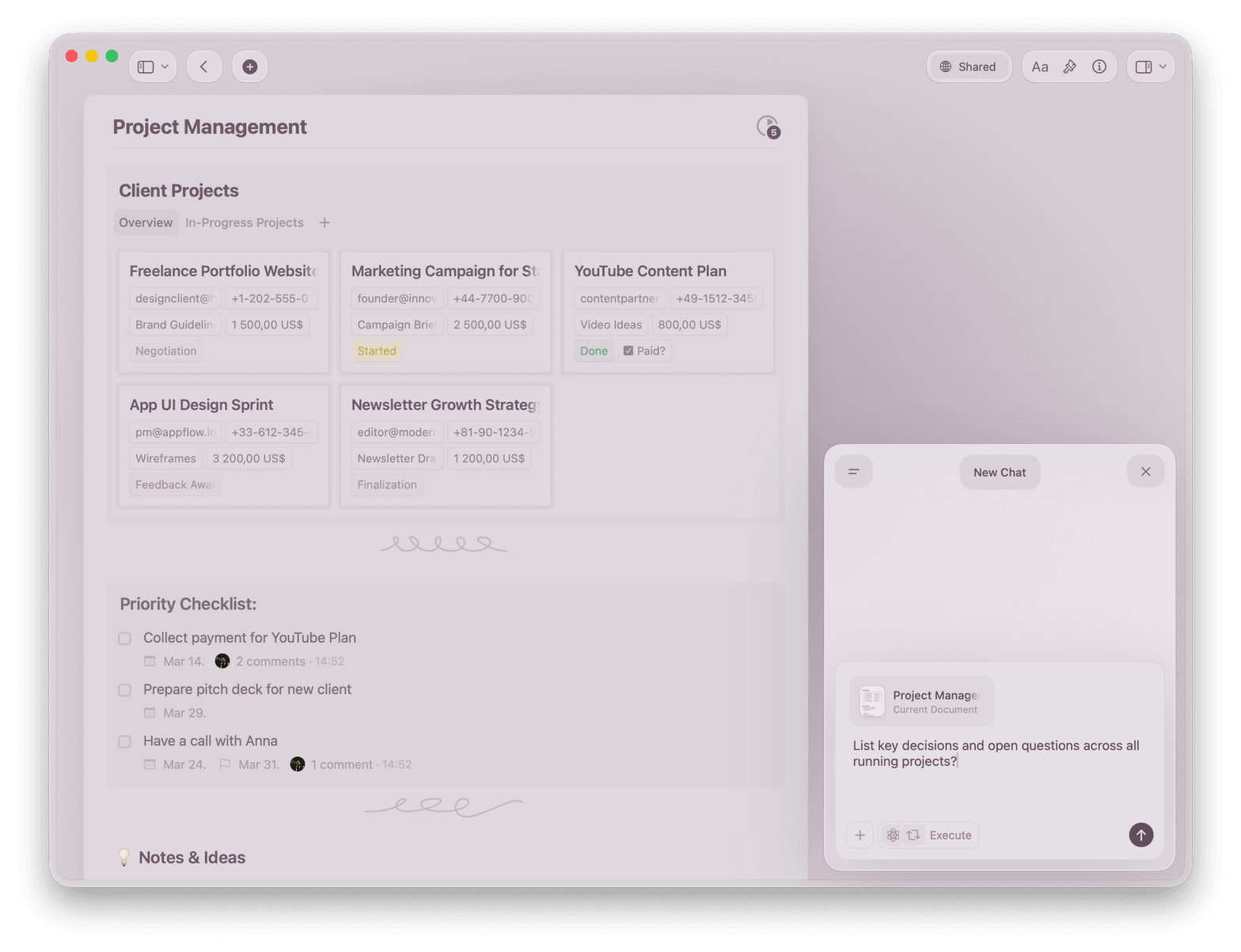
Track projects in Collections, manage tasks with Calendar, and let Craft Assistant summarize status. One place for every decision.
Built for project managers
From kickoff to close-out, Craft holds every project together.
01 — Project plans
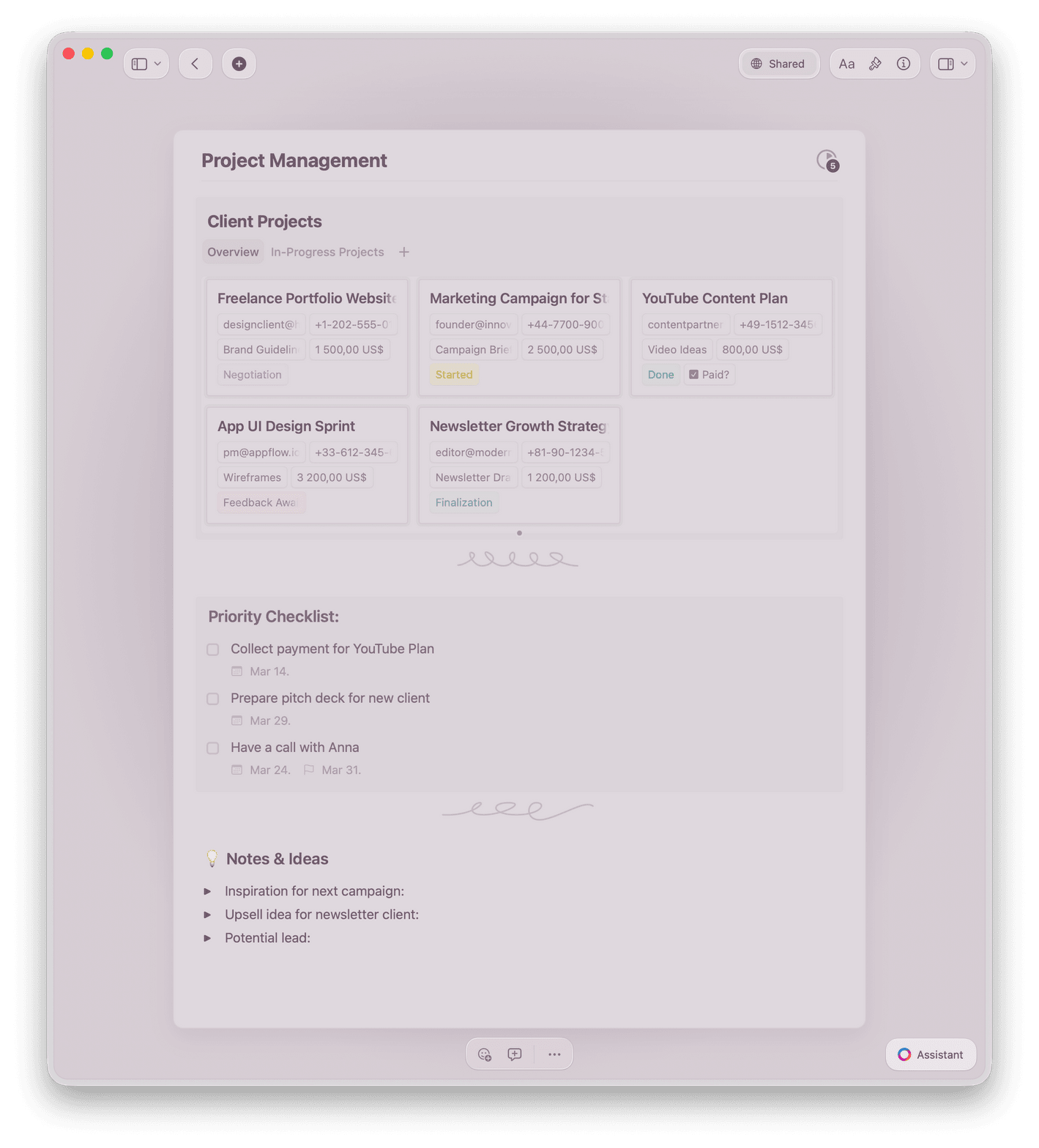
Build project plans with linked sub-documents. Track milestones in Collections with Table view, filters, and sorting.
Why product managers choose Craft
The project doc your team actually reads.
Craft is fast, clean, and easy to share. Your team opens it. Your stakeholders understand it. That's the point.

Collections for projects
Track every project in Table or Gallery view. Filter by status, group by team, sort by deadline.

Tasks & Calendar
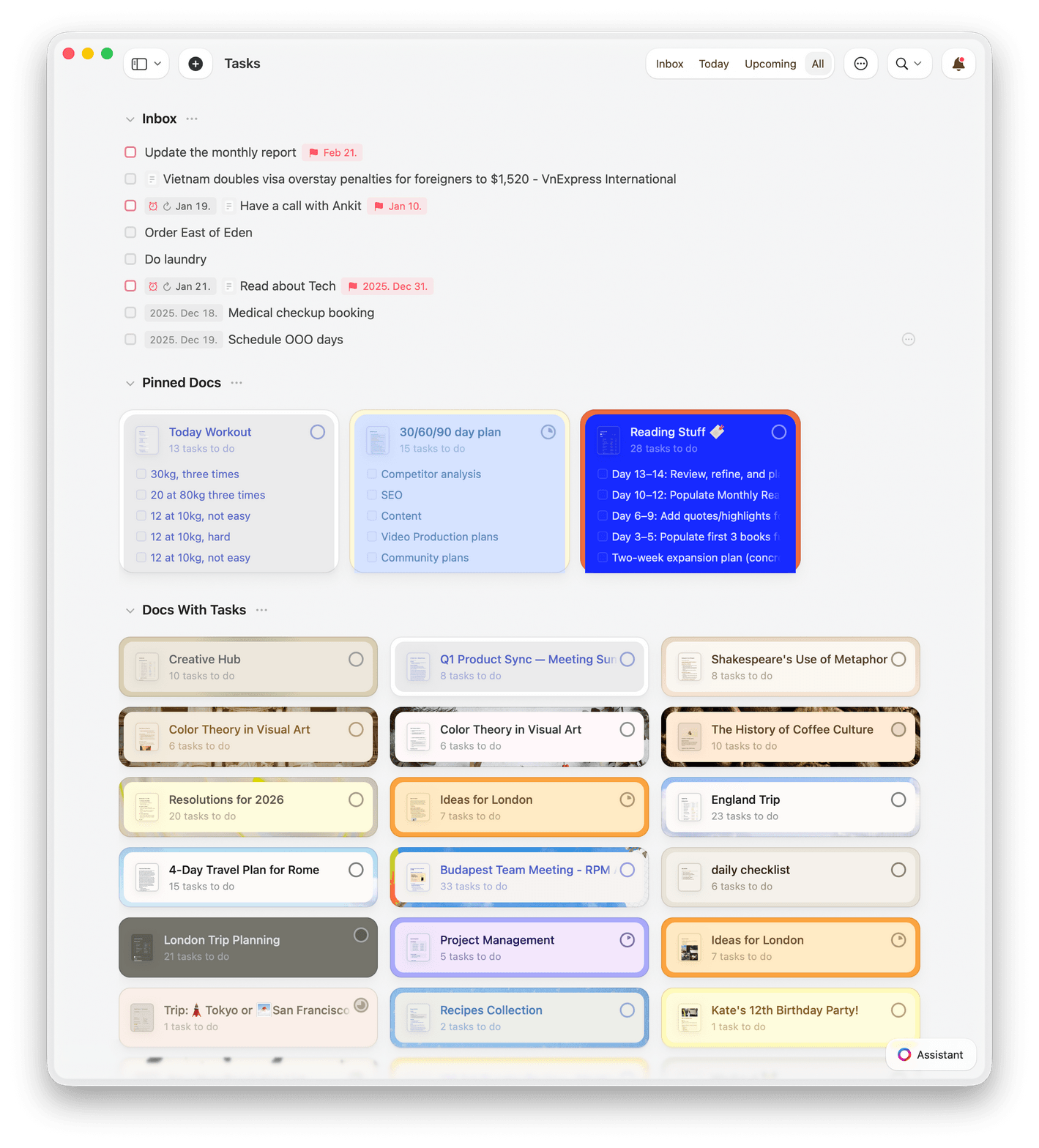
Assign tasks, view them in your Calendar, and track overdue items in the global task inbox.

Craft Assistant
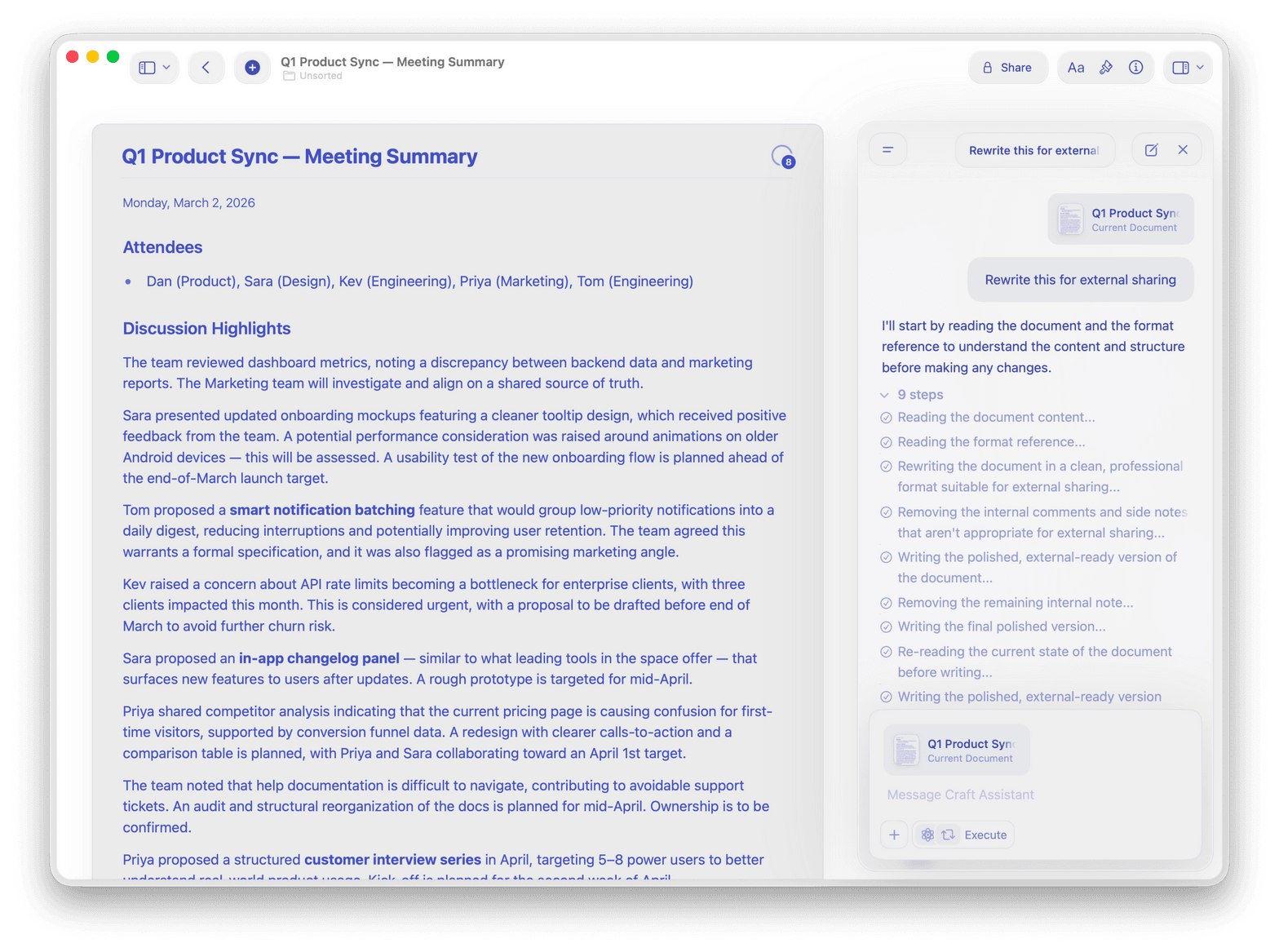
Summarize status updates, draft project briefs, and search across your entire workspace with AI.

Auto meeting notes
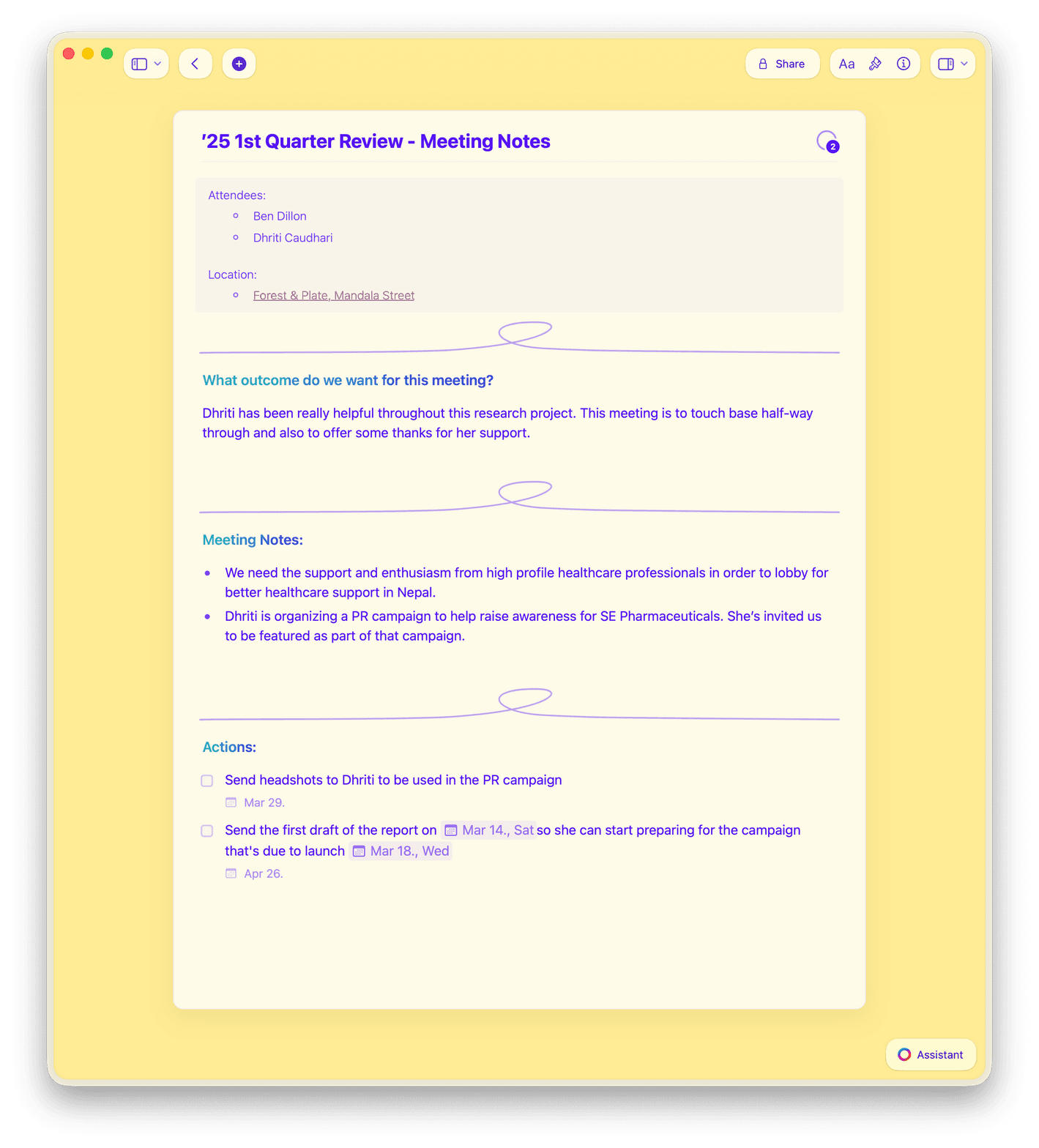
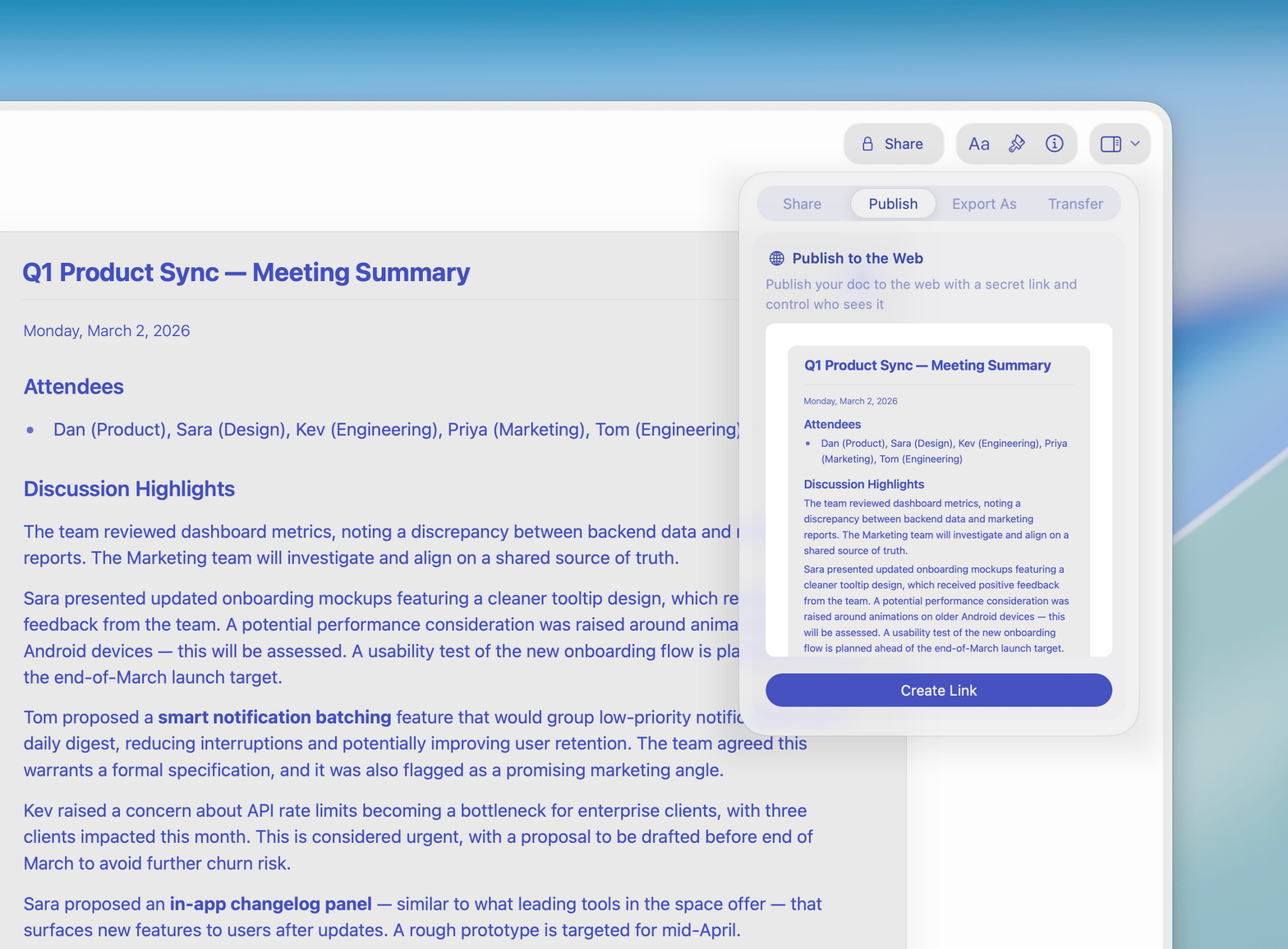
Meeting notes auto-populate from your calendar. Capture decisions and action items in real time.

Templates for PMs
Start from built-in templates for project plans, status updates, and retrospectives — or build your own.
Your next project plan belongs in Craft.
Free to start. No credit card needed.
Set up your first project in under five minutes.
From project managers
Product managers who made the switch.
Craft makes it easy to manage complex projects with clarity. I can organize tasks, follow-ups, and updates in a way that actually makes sense.
Craft Community
Steven
Project Manager
I like the new features, that you made - especially the Tasks + Calendar revamp, and the new Style Gallery. Makes it easy to quickly create a good looking document.
Craft Community
Kenneth Thomsen
Craft user since 2021
Love that there is a separate setting for schedule and deadline. I'm really happy that Collections includes Grouping...
Craft Community
Keara Lightning
Craft user since 2022
Craft in action
How project managers use Craft.
Project plans
Write the plan your team follows.
A Craft project plan links to every spec, brief, and decision doc. Your team knows where to look.
Sub-documents for every workstream
Link to specs, tickets, and briefs
Share with stakeholders as a read-only link
Get started
Your first project is live today.

Create your workspace
Set up a team workspace. Invite your core team in under five minutes.

Build your project doc
Start from a template or write your own. Link in your key sub-documents.

Share with your team
Send a Craft link to your stakeholders. They see the latest version, always.

Craft vs. the alternatives
See how Craft compares to Notion and Google Docs for project managers.
Native Mac and iPhone app
200ms load time
Linked documents
Offline access
Version history
Free to start. Upgrade your whole team.
The Craft team plan gives every product manager a shared workspace with project folders, permissions, and unlimited docs.
Free
Full access, great if you use it occasionally each week.
$0 /month
Designed to effortlessly fit into your everyday flow.
$5 /month
Learn more
Guides for project managers.

How to set up a project workspace in Craft
A template-based guide to building your project plan, status update, and meeting notes in Craft.

Writing status updates that stakeholders read
A simple Craft template for weekly project status that actually gets opened.

See Craft in action
Real examples of how project managers use Craft for plans, updates, and team coordination.